Private AI that knows
your business - not everyone else's
Connect your own docs, sites, and inboxes to AI, nothing more, nothing less. Get a live, source-backed view of your business that the AI tools you already use can ask, without your sources leaving your control.
*Start for free

Your sources,
your control
Connect only the Notion pages, Google Docs, and website sections you choose. AI never sees anything you haven't explicitly approved.

Search your content
by meaning
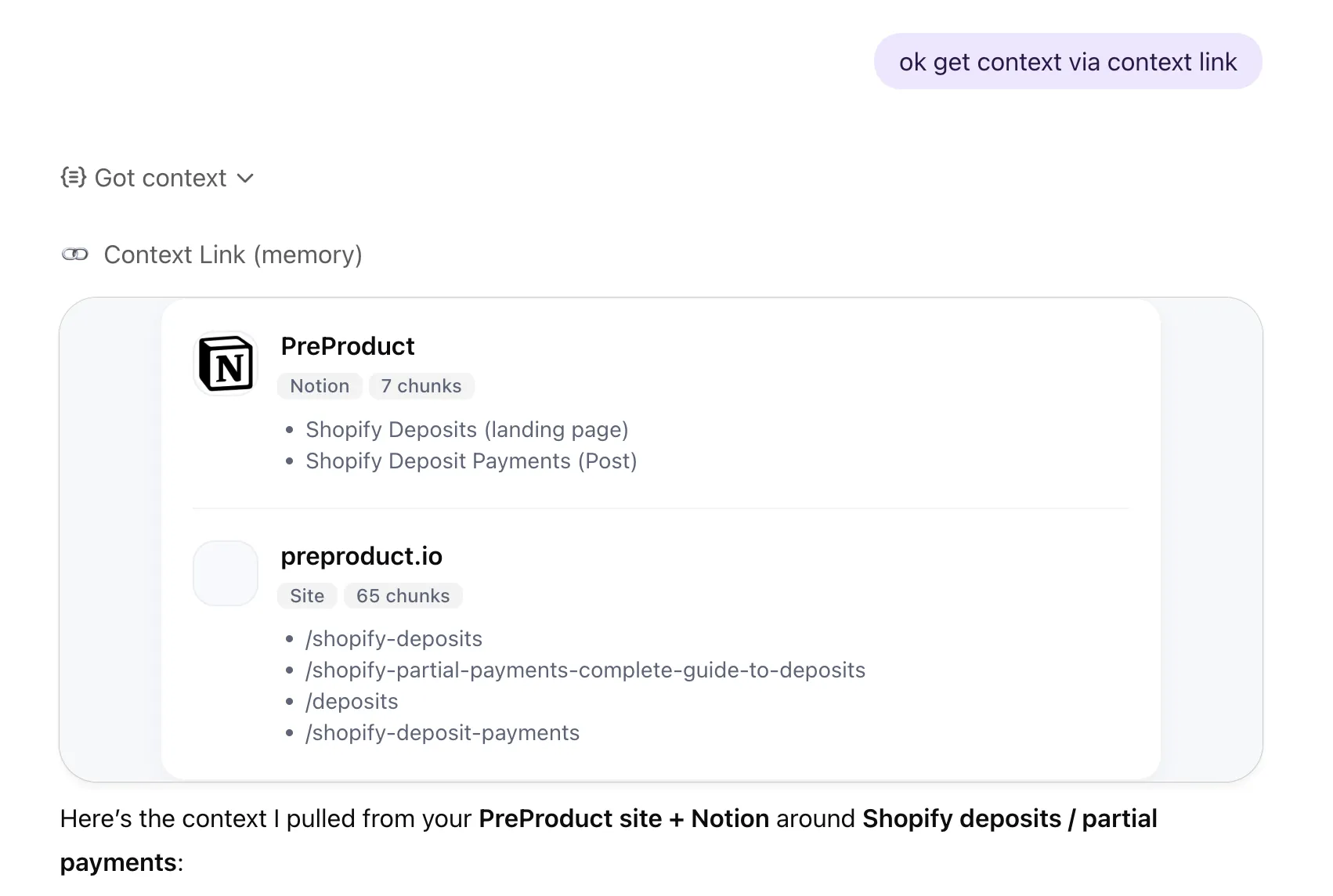
Ask AI to 'get context on [topic]' and get relevant snippets from your own materials. No generic web results, no hallucinated facts.

A private, live
view of your business
Lenses run analytical views over your connected sources, kept current by recurring AI deep research. See what's true right now, what changed, and what needs attention, all from sources you've explicitly approved.
works with:







 Basecamp






1. Connect
Plug in the places your business already exists.
Notion, Google Docs, websites, inboxes, files, project tools. Context Link keeps them all in sync as one connected knowledge base. Stop copy-pasting context into every AI prompt. Your business is already written down. It just needs to live somewhere AI can read.
2. Ask
Ask your business anything.
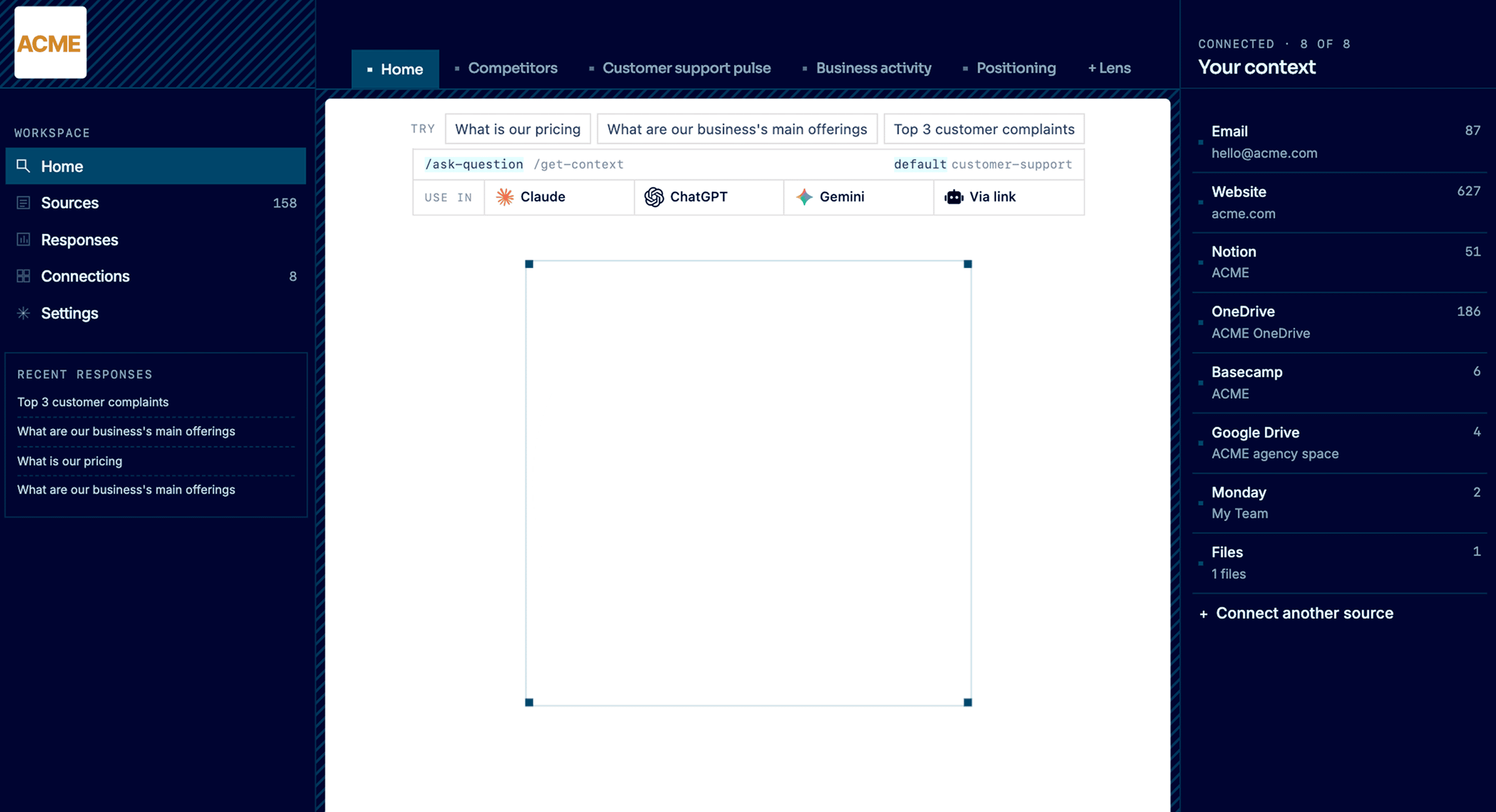
Get source-backed answers across everything you've connected: pricing, positioning, support patterns, customer signal, competitor moves. A vector database under the hood means AI searches by meaning, not just keywords. Your team asks from the dashboard. Claude, ChatGPT, and any MCP-aware agent ask through the integrations. Every answer cites where it came from.
3. Observe
See your business like never before.
Lenses are live, source-backed views: competitors, customer support pulse, positioning, business activity. Each one combines your connected sources with recurring AI deep research to answer: what's true right now, what changed, and what needs attention. Every result is backed by evidence in the right-hand column, so you can see why things are the way they are.
4. Evolve
Move the business where you want it to go.
Pick a goal for a Lens: go upmarket, tighten your ICP, refresh positioning. Context Link briefs an AI on everything that matters: your sources, your Lens, your history. The goal becomes concrete next actions you can copy, open in any AI tool, or run yourself.
features
Connect only what you approve
Select specific Notion pages, Google Docs folders, and website sections to include. Everything else stays out. Change your sources anytime - add new content or revoke access in a few clicks.

features
Private search across your sources
Context Link uses semantic search to find relevant content from your connected sources. Ask about your product roadmap and get your roadmap - not generic advice from the open web.
features
Clean output for any AI tool
Returns markdown-formatted snippets that work with ChatGPT, Claude, Gemini, and any AI that can fetch URLs. Your private context, usable everywhere.

features
Lenses observe only your sources
Layer Lenses on positioning, competitors, customer support pulse, and business activity over the sources you've approved. Each one combines your connected sources with recurring AI deep research and surfaces what's true right now, what changed, and what needs attention.
Integrates with the AI you already use
 Get Context
· ChatGPT
Get Context
· ChatGPT
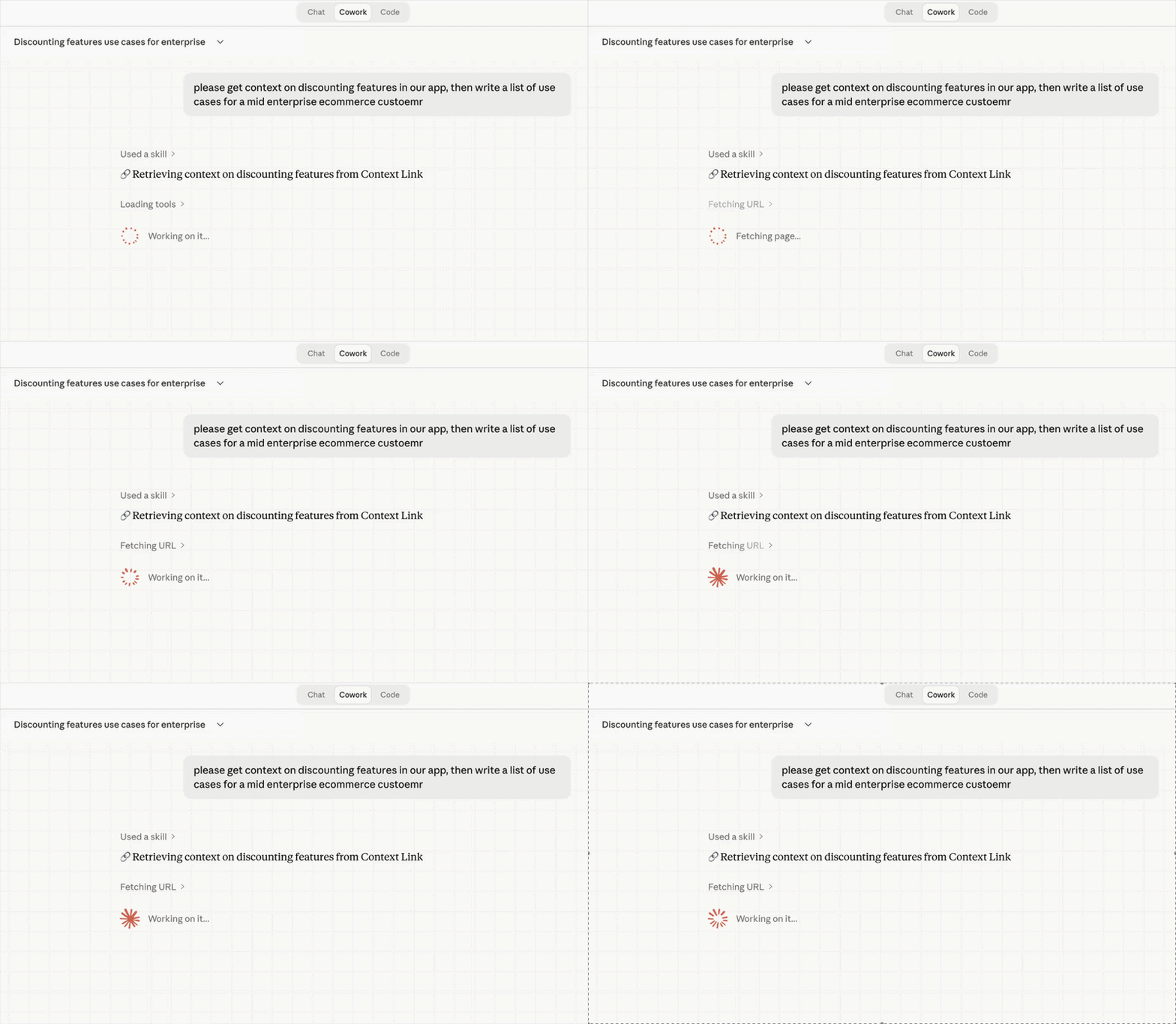
 Get Context
· Claude
Get Context
· Claude
Industries
Context Link works with your kind of business.
Add Context Link to your computer or phone so business context is never more than a click away.

See your e-commerce business as a set of live views: who you're really competing with, what customers keep contacting support about, how your brand is actually landing. Each one is source-backed and updates as the business moves, not a quarterly guess. It runs on what you already have: connect the support inbox, brand book, catalogue and help centre, and the picture stays current on its own.

See your software business from every angle: your positioning, your competitive set, the marketing channels actually working. Live, source-backed views that tell you what's true now and what changed, so you know before the next launch, not after. It builds from the docs you already keep, like specs, changelogs, interviews and support threads, read where they live so the view never goes stale.
See the studio the way the outside world does: a live read on how your positioning actually comes across, not how you hope it does. Source-backed, and grounded in your own back-catalogue of briefs, case studies, brand books and project archives, so strategy stops half-remembering and starts citing, and every pitch stands on the studio's real history.

See your business from every angle: positioning, competitors, customer support and more, as live, source-backed views that tell you what's true right now, what changed, and what needs attention. They build from the places the business already lives, like docs, sites, inboxes and files, so the view stays current without anyone maintaining it. Your business stops being something you re-explain, and becomes something you can watch and talk to.
Workflows
See what AI accessed in every response
Every query is logged with which sources were searched and what was returned. Review usage, spot patterns, and know exactly what context AI is working with.
Workflows
Add, remove, or re-sync sources anytime
Your private AI stays current as your business changes. Add new docs when they're ready, remove outdated content, and re-sync sources when you've made updates.
Scale with your org
Perfect context for every role
Context Link supports organisation-wide sources alongside user-specific ones, so everyone starts with a shared foundation. Take it further with Modes: named profiles like 'support' or 'sales' that re-weight your knowledge base for each use case. For example, Boost your help centre and docs for customer support, then your blog and Notion for marketing. Same knowledge base, different lens.
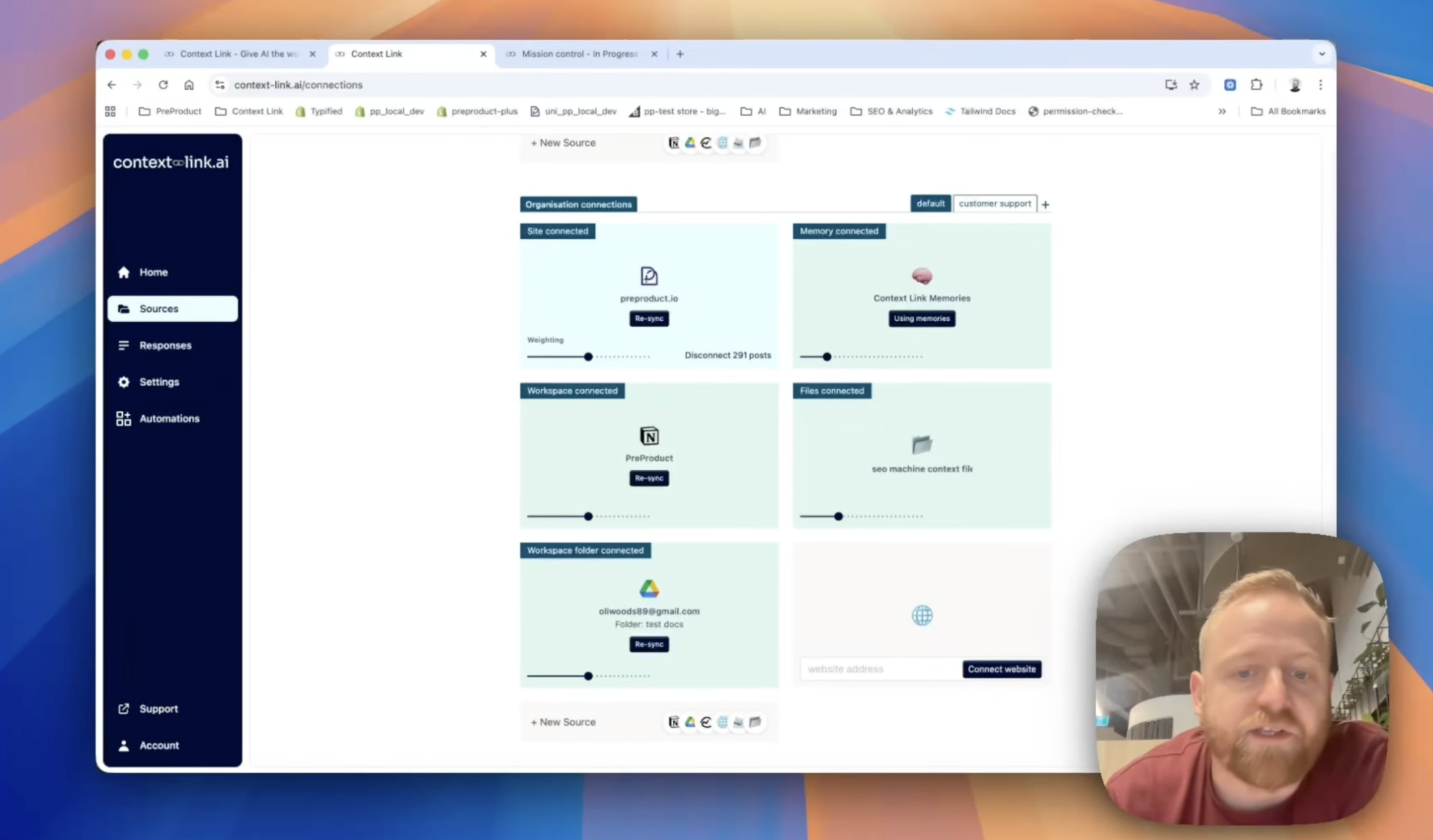
Share context across your team
Stop pasting the same docs into every chat. Share one link, and your team's AIs can pull the latest context from your connected sources—consistently, every time.
(ChatGPT)
(Claude)

agent 004
session




 +
+
+
+
+
+
Frequently Asked Questions
What makes this a "private" AI?
Context Link gives you a private, virtual version of your business for AI. You connect your own Notion pages, Google Docs, and websites, and AI only sees those sources when you ask. Unlike generic AI tools that search the open web, your AI searches your content. You control what's included, what's excluded, and when to update. Lenses run analytical views over those same sources, kept current by recurring AI deep research, so the live picture stays inside your boundary.
Does Context Link train AI models on my data?
No. Context Link is an input layer, not a training pipeline. When you ask AI to "get context on [topic]", we run a semantic search across your connected sources and return relevant snippets. The underlying AI tools may have their own data policies, but Context Link itself does not train models on your content.
Can I use this with my team?
Yes. Organisation accounts let you connect shared sources once and make them available to every team member. Each person gets their own access to the same approved content via ChatGPT connector or Claude skills. You maintain central control over what's included while everyone benefits from the same private knowledge base.
How is this different from uploading files to ChatGPT?
File uploads are one-off and tied to a single chat session. With Context Link, you connect sources once and they stay in sync. Your private AI can search across all your content anytime, from any session, and you can update or revoke access without re-uploading. Plus, Memories let you save outputs that persist across sessions.
What AI tools does this work with?
Context Link works with ChatGPT (via app connector), Claude (via skills), Gemini, Microsoft Copilot, and any AI tool that can fetch URLs. Your team can use whichever AI they prefer - everyone pulls from the same private knowledge base.
Can I ask a direct question against my private sources?
Yes. Alongside "get context on [topic]", the Ask Question skill (/ask-question [question]) runs semantic retrieval across only your connected sources, then synthesises a grounded paragraph with numbered citations. The answer is composed from your content only, no external data, no training. Available on Pro plans.