Works with ChatGPT, Claude, Gemini, and any MCP-aware agent
AI knowledge management for your whole business
Connect your Notion, Google Docs, websites, and inboxes once. Context Link keeps them in sync as one connected knowledge base, so you can ask from inside the AI you already use and get source-backed answers with citations.
7-day free trial · start for free · cancel any time

01 / Why Context Link

Connect once,
share with everyone
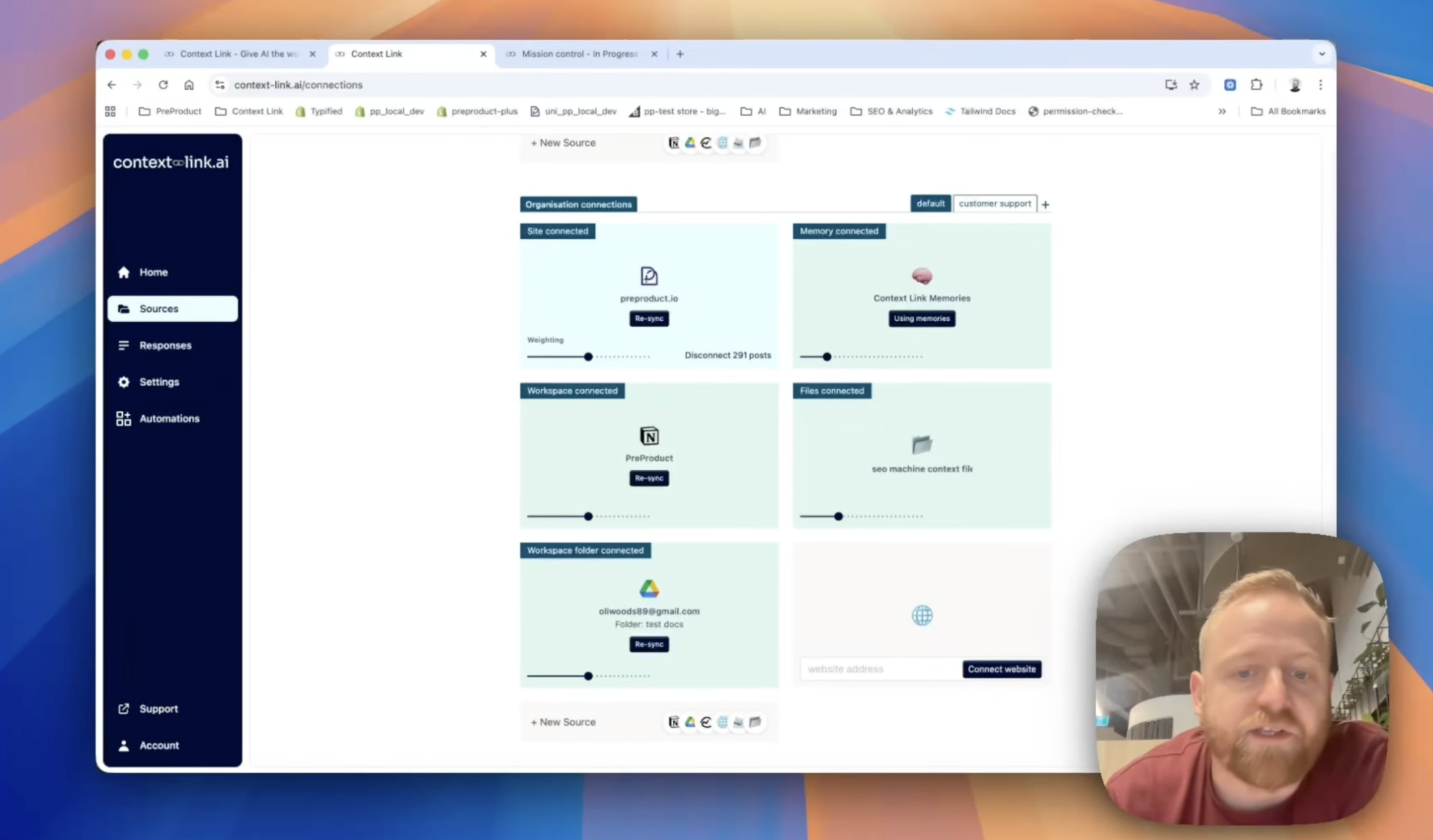
Set up sources at the org level: Notion, Google Docs, websites, project tools, inboxes. Every teammate gets their own account with access to the same connected knowledge.

Ask your business
from the AI you already use
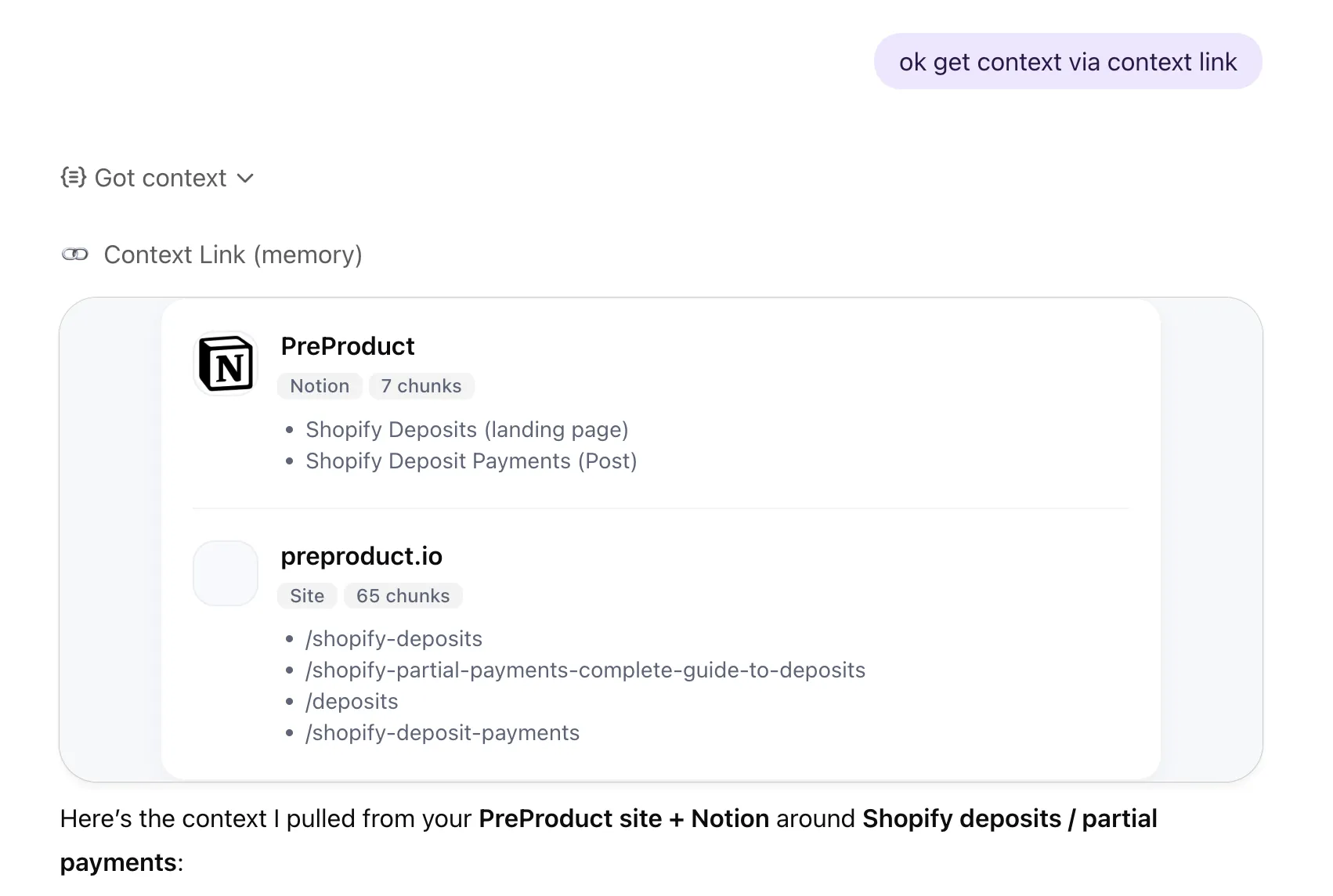
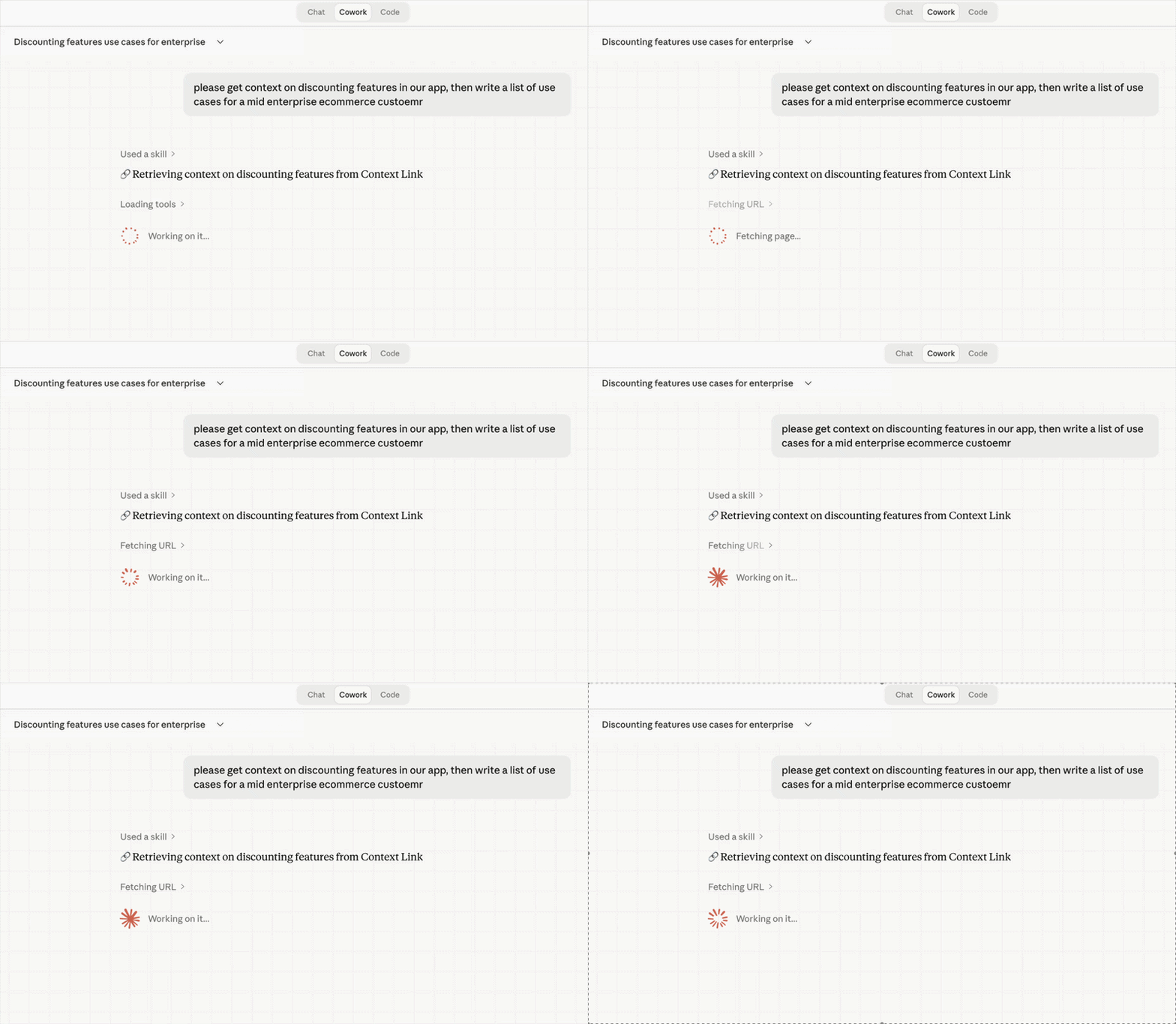
Give ChatGPT, Claude, and AI agents a way to ask your business questions or get the context they need. Context Link fetches the right source-backed context from your docs, website, inboxes, and files, so answers are grounded in your latest content.

Context Link remembers,
so you don't have to
Stop remembering where work lives: everything is searched together, by meaning. Save settled decisions as Memories, and every AI tool reads the latest version.
02 / Works with







 Basecamp


 Custom
 Websites
 Files
Files
 Email
Email
 Memory
*Don't see a pre-built connection? Download the custom-connections skill and Claude builds it for you. If Claude can read it, you can push it to Context Link.
03 / What it does
Org-level sources, team accounts
Connect company content once at the organisation level. Every team member gets their own account to ask the same connected knowledge base from inside ChatGPT, Claude, or any MCP-aware agent. No duplicate setup, no drift.
Semantic search across everything
Context Link finds relevant content by meaning, not keywords. Ask about 'customer refund policy' and get the right paragraphs even if your docs call it 'returns process'. Use Modes to weight the same sources differently per use case. Want the answer instead of chunks? Invoke /ask-question for a grounded paragraph with citations.
Clean markdown AI can actually use
Results come back as structured markdown that fits perfectly in AI context windows. No HTML noise, no formatting issues, just the content your AI needs.
Always in sync, returned with citations
Sources sync every 24 hours, so AI reads what your knowledge base says today, not a snapshot from the month you set it up. Every answer shows its working: exact sources cited, past lookups reviewable, and anything you don't want indexed excluded with a click.
04 / In action
Integrates with the AI you already use
05 / Tools & skills
Skills your AI already knows how to call
Install once and your AI gets a vocabulary for your business: pull source-backed context, ask for a cited answer, or save a decision every other AI tool will read next time.
Tools & skills
Available in ChatGPT, Claude, Claude Code, and any MCP-aware agent.
Pulls source-backed context on a topic into the AI's working context.
When: “get context on…”
One concise answer with citations, grounded in your sources.
When: “ask my docs…”
Distills the conversation into a reference doc and saves it.
When: “save this as…”
Fetches a saved memory, merges in what's new, saves it back.
When: “update… with…”
The AI becomes the fetcher: pushes any service's data into your knowledge base.
When: building a custom source
06 / Industries
Context Link works with your kind of business.
Whatever you run, it probably lives in a variety of places. Connect them once, and Give AI a single way to talk to all of it.

Connect the support inbox, brand book, catalogue and help centre once, and AI gets a single place to ask your whole e-commerce business. From ChatGPT or Claude, ask what customers keep contacting support about, what you currently say about pricing, or how a product is described, and get source-backed answers instead of pasted-in context. When you settle something, like a returns policy or a brand rule, save it as a Memory so every AI tool reads the latest version.

Connect the docs you already keep, like specs, changelogs, interviews and support threads, and stop rebuilding that context in every AI tool. From inside ChatGPT or Claude, ask about your positioning, a past decision, or what users actually said in interviews, and get source-backed answers without knowing which doc holds them. Then save the canonical stuff, like your ICP or pricing rationale, as Memories that stay current as they change.
Connect your back-catalogue of briefs, case studies, brand books and project archives, and give AI one place to ask the whole studio. Ask anything and get source-backed answers grounded in your real history, so strategy stops half-remembering and starts citing, and every pitch stands on work you've actually done. Save the things you keep re-explaining, like your process or your point of view, as Memories any AI can pull into the next deck.

Your business lives in a variety of places, like docs, sites, inboxes and files. Connect them once and Context Link becomes the single place ChatGPT, Claude and agents can ask across all of it, returning source-backed answers without you guessing where the answer lives or pasting in background. Your business stops being something you re-explain to every AI tool, and becomes something they can simply talk to.
08 / Workflows
Workflow
See what AI is actually using from your knowledge base
Every query is logged with which sources were pulled and what content was returned. Spot gaps in your docs, identify missing topics, and keep your knowledge base healthy.

Workflow
Control exactly what your team's AI can see
Choose which Notion pages, Google Docs folders, and website sections to include. Add or remove sources anytime. Your team's AI only knows what you've approved.

Scale with your org
Perfect context for every role
Context Link supports organisation-wide sources alongside user-specific ones, so everyone starts with a shared foundation. Take it further with Modes: named profiles like 'support' or 'sales' that re-weight your knowledge base for each use case. For example, boost your help centre and docs for customer support, then your blog and Notion for marketing. Same knowledge base, different lens.
09 / Across your team
Share context across your team
Stop pasting the same docs into every chat. Connect your sources once, and every teammate's AI pulls the latest context from the same place — consistently, with citations, every time.
Your team's AIs

ChatGPT

Claude

agent 004
session
One connected knowledge base

 +
+
+
+
+
+
Ready when you are
Ready to give AI a way to talk to your team's knowledge?
7-day free trial · start for free · cancel any time
FAQ
Frequently Asked Questions
What is AI knowledge management?
AI knowledge management is the practice of connecting your business's knowledge so AI tools can actually use it. With Context Link, you connect Notion, Google Docs, websites, and inboxes once. Context Link keeps them in sync as one connected knowledge base, and your team asks source-backed questions from inside the AI they already use. Every answer cites where it came from.
How is this different from uploading files to ChatGPT?
File uploads are session-specific and static. Context Link stays connected to your source documents, syncs them every 24 hours, and works across ChatGPT, Claude, and any MCP-aware agent. Connect once, use everywhere.
Can my whole team use the same knowledge base?
Yes. Context Link supports org-level sources that every team member can access through their own account. Marketing, support, and product all pull from the same connected content via ChatGPT connector or Claude skill, so AI answers stay consistent across the company.
What sources can I connect?
Context Link connects to Notion workspaces, Google Docs and Drive folders, OneDrive, Basecamp, Monday, email inboxes (Gmail, Outlook, Zoho, IMAP), uploaded files, any website via sitemap or URL list, and custom connections. If a tool isn't in the catalogue, the custom-connections skill lets your AI build the connection itself: it fetches data from any service it can reach and pushes it in. If Claude can read it, you can push it to Context Link. Your existing knowledge becomes searchable AI context without moving it anywhere.
Do I need to re-upload when docs change?
No. Context Link syncs sources every 24 hours, so the index reflects what your documents say today.
Can I ask a direct question and get a grounded answer?
Yes. Alongside "get context on [topic]", Context Link has an Ask Question skill invoked as /ask-question [question] (or natural language: "ask Context Link what our refund policy is"). It runs the same semantic retrieval, then composes one concise paragraph with numbered citations back to the exact snippets used. Ask Question is available on Pro plans and counts toward the monthly LLM allowance (2,000 requests/month, shared across LLM-powered features).