Make AI personal
to your business
ChatGPT is powerful but generic. Connect your docs, brand voice, and company knowledge so any AI you use gives source-backed answers from inside the tools you already work in.
*Start for free

AI that knows
your company
Generic AI gives generic answers. Connect your Notion, Google Docs, and website so ChatGPT and Claude can reference your actual content when you ask them questions.

Your context,
any AI tool
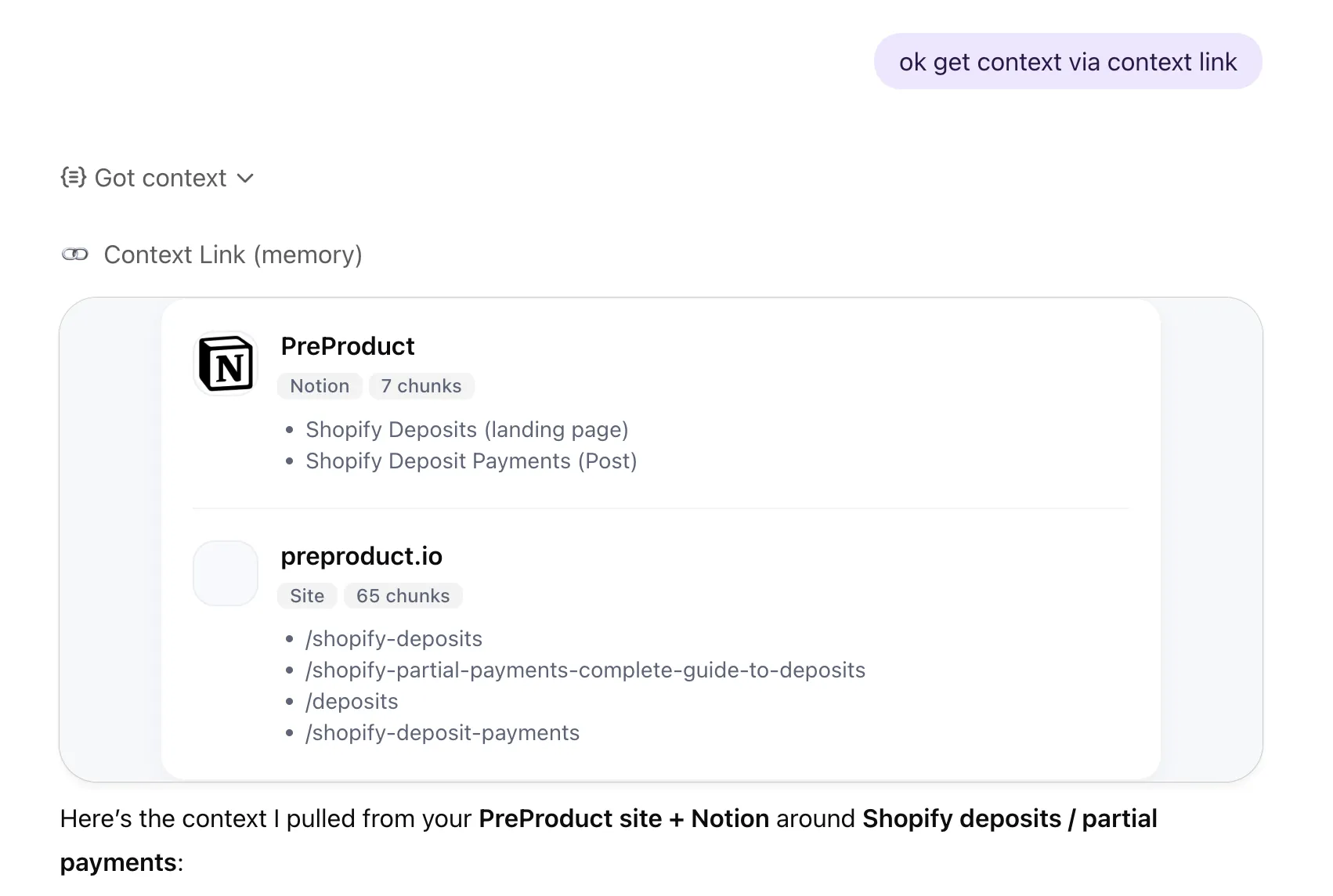
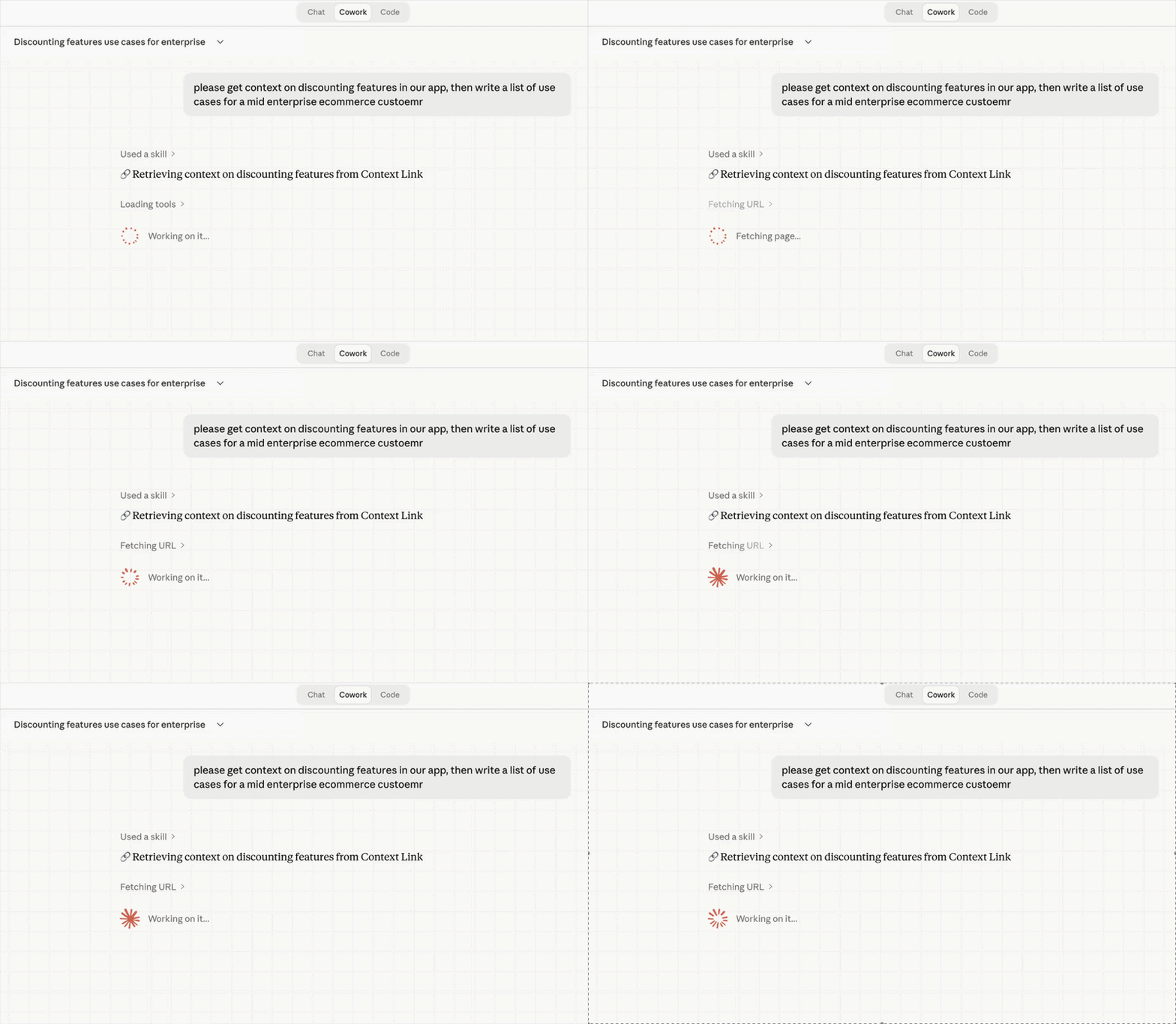
Keep using the AI tools you prefer. Context Link works with ChatGPT, Claude, Gemini, and agents. Your business knowledge travels with you across all of them.

A virtual version
of your business
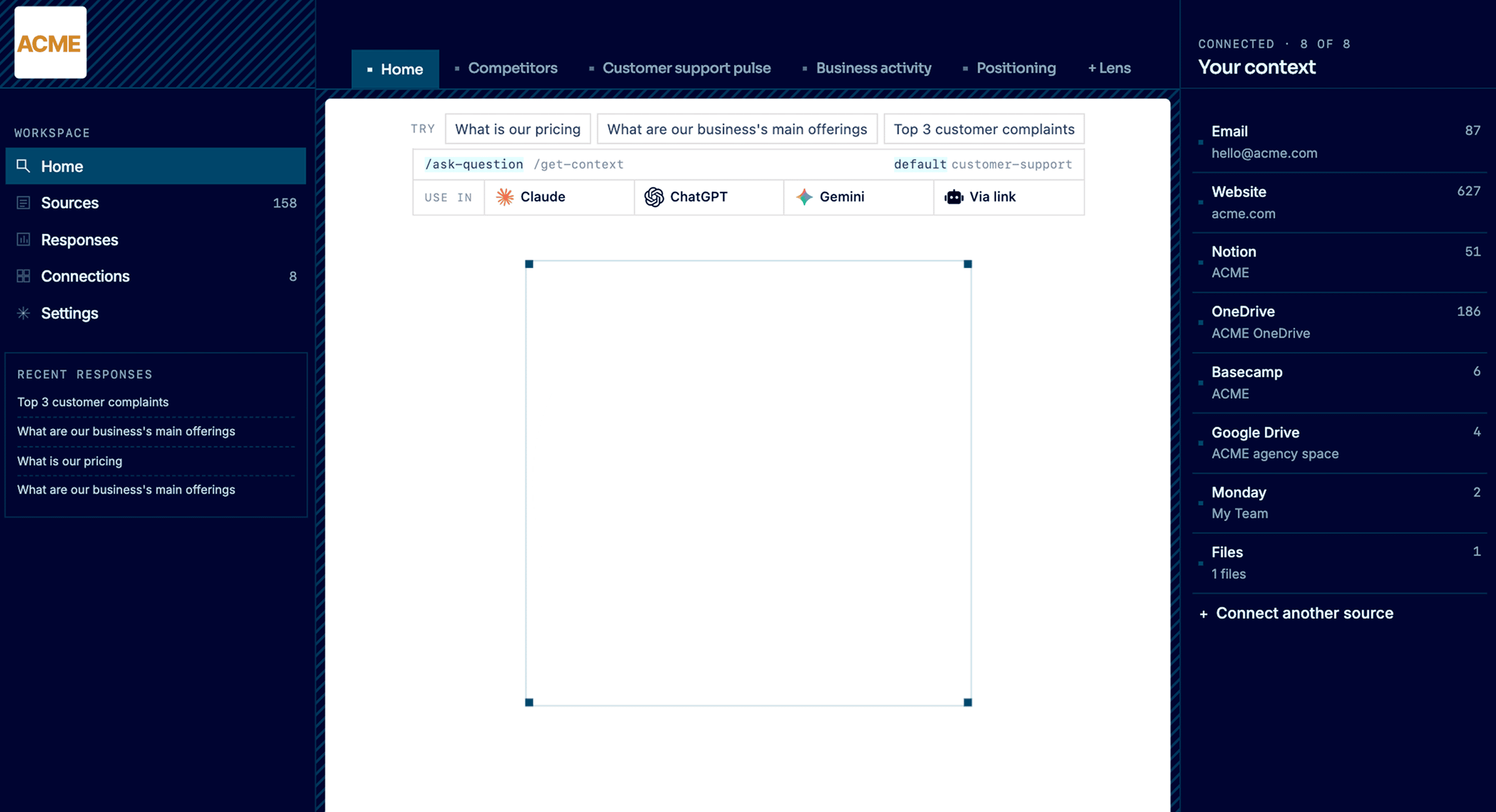
Lenses on positioning, competitors, and customer support pulse run on a schedule, kept current by recurring AI deep research. Your personalized AI gets a read on what's true right now, what changed, and what needs attention.
works with:







 Basecamp






1. Connect
Plug in the places your business already exists.
Notion, Google Docs, websites, inboxes, files, project tools. Context Link keeps them all in sync as one connected knowledge base. Stop copy-pasting context into every AI prompt. Your business is already written down. It just needs to live somewhere AI can read.
2. Ask
Ask your business anything.
Get source-backed answers across everything you've connected: pricing, positioning, support patterns, customer signal, competitor moves. A vector database under the hood means AI searches by meaning, not just keywords. Your team asks from the dashboard. Claude, ChatGPT, and any MCP-aware agent ask through the integrations. Every answer cites where it came from.
3. Observe
See your business like never before.
Lenses are live, source-backed views: competitors, customer support pulse, positioning, business activity. Each one combines your connected sources with recurring AI deep research to answer: what's true right now, what changed, and what needs attention. Every result is backed by evidence in the right-hand column, so you can see why things are the way they are.
4. Evolve
Move the business where you want it to go.
Pick a goal for a Lens: go upmarket, tighten your ICP, refresh positioning. Context Link briefs an AI on everything that matters: your sources, your Lens, your history. The goal becomes concrete next actions you can copy, open in any AI tool, or run yourself.
features
Connect what you already have
Your business knowledge already exists in Notion pages, Google Docs, and your website. Context Link connects directly to these sources. No migration, no re-uploading files for every chat.

features
Semantic search finds what matters
Ask for 'context on our refund policy' and get the relevant paragraphs, even if those exact words don't appear in your docs. Context Link searches by meaning, not keywords. Or ask Context Link directly via the Ask Question skill: /ask-question [question], one grounded, cited paragraph.

features
Clean output AI understands
Context Link returns focused markdown snippets, not entire documents. Your AI gets exactly what it needs to answer accurately without hitting context limits.

features
Lenses see your business from every angle
Layer analytical Lenses over your connected sources to track positioning, competitors, customer support pulse, and business activity. Each one combines your sources with recurring AI deep research and answers what's true right now, what changed, and what needs attention.
Integrates with the AI you already use
 Get Context
· ChatGPT
Get Context
· ChatGPT
 Get Context
· Claude
Get Context
· Claude
Industries
Context Link works with your kind of business.
Add Context Link to your computer or phone so business context is never more than a click away.

See your e-commerce business as a set of live views: who you're really competing with, what customers keep contacting support about, how your brand is actually landing. Each one is source-backed and updates as the business moves, not a quarterly guess. It runs on what you already have: connect the support inbox, brand book, catalogue and help centre, and the picture stays current on its own.

See your software business from every angle: your positioning, your competitive set, the marketing channels actually working. Live, source-backed views that tell you what's true now and what changed, so you know before the next launch, not after. It builds from the docs you already keep, like specs, changelogs, interviews and support threads, read where they live so the view never goes stale.
See the studio the way the outside world does: a live read on how your positioning actually comes across, not how you hope it does. Source-backed, and grounded in your own back-catalogue of briefs, case studies, brand books and project archives, so strategy stops half-remembering and starts citing, and every pitch stands on the studio's real history.

See your business from every angle: positioning, competitors, customer support and more, as live, source-backed views that tell you what's true right now, what changed, and what needs attention. They build from the places the business already lives, like docs, sites, inboxes and files, so the view stays current without anyone maintaining it. Your business stops being something you re-explain, and becomes something you can watch and talk to.
Workflows
See how AI uses your context and fill the gaps
Every retrieval is logged. See which sources were pulled, what content was returned, and when. Spot gaps in your knowledge and sync new content to make AI more useful.
Workflows
Full control over what AI can access
Choose exactly which Notion pages, Google Docs, and website sections AI can see. Add or remove sources anytime. Your personalized AI only knows what you approve.
Scale with your org
Perfect context for every role
Context Link supports organisation-wide sources alongside user-specific ones, so everyone starts with a shared foundation. Take it further with Modes: named profiles like 'support' or 'sales' that re-weight your knowledge base for each use case. For example, Boost your help centre and docs for customer support, then your blog and Notion for marketing. Same knowledge base, different lens.
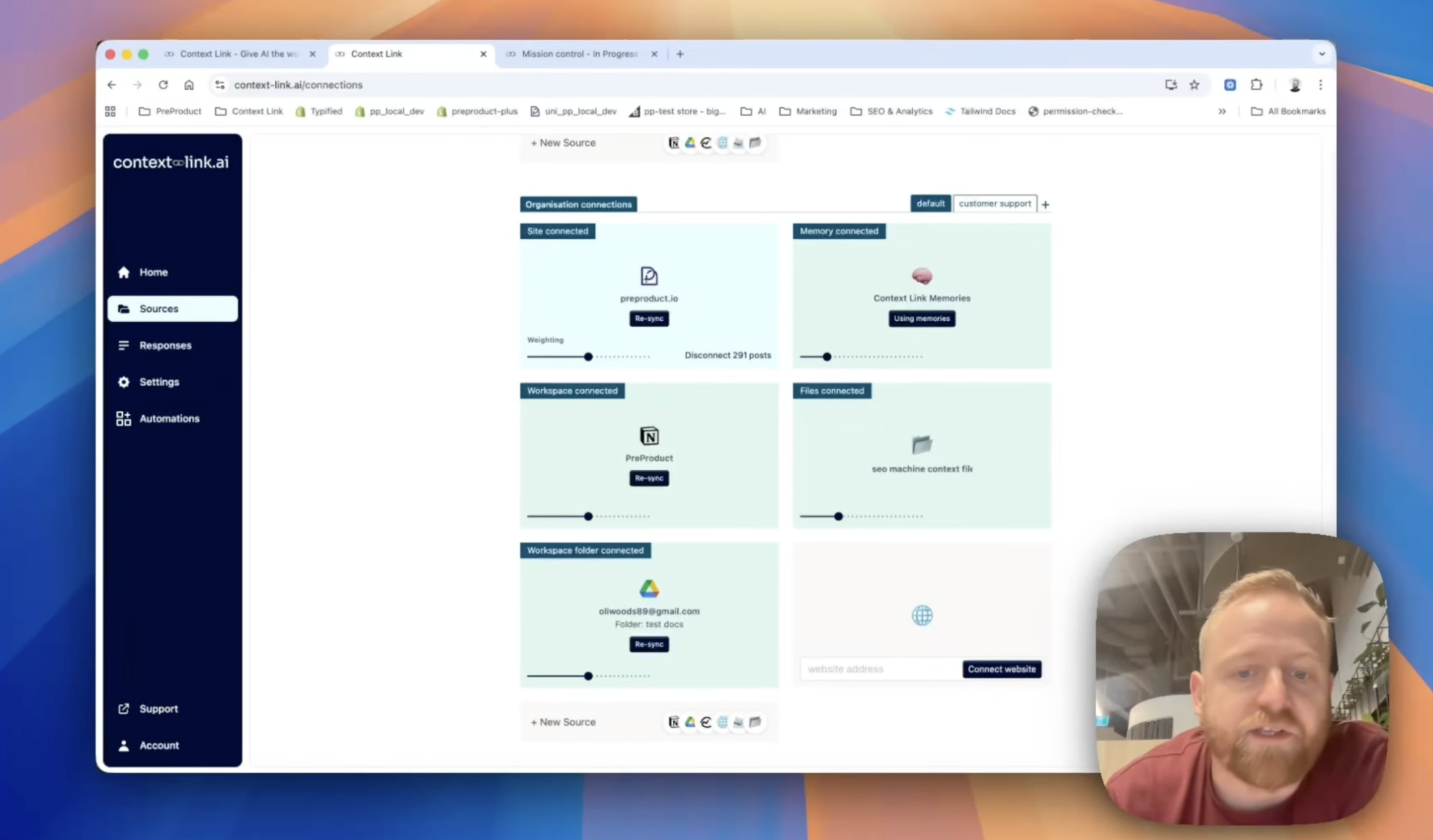
Share context across your team
Stop pasting the same docs into every chat. Share one link, and your team's AIs can pull the latest context from your connected sources—consistently, every time.
(ChatGPT)
(Claude)

agent 004
session




 +
+
+
+
+
+
Frequently Asked Questions
What does "personalized AI" mean?
Personalized AI means AI that knows your specific business context. Instead of ChatGPT or Claude giving generic answers, they reference your actual docs, brand voice, and company knowledge from inside the tools you already use. Context Link makes this possible by connecting your sources once, then layering Lenses on top so the AI sees not just what you've written, but what's actually moving in the business.
How is this different from just uploading files to ChatGPT?
Uploads are one-off and tied to a single chat. With Context Link, you connect your sources once and they stay synced. Your Notion pages, Google Docs, and website content become permanently available to any AI tool. Updates in your sources automatically appear in AI conversations.
Does this work with Claude and other AI tools?
Yes. Context Link works with ChatGPT (via the official app connector), Claude, Google Gemini, Microsoft Copilot, and any AI that can fetch URLs. Connect your sources once and use them across all your AI tools.
Can my team share the same personalized context?
Yes. Org accounts let you connect company sources once at the organization level. Every team member can access the same knowledge through their preferred AI tool. Marketing, sales, and support all work from the same source of truth.
Is my business data safe?
You control exactly which sources AI can access. Context Link only indexes content you explicitly connect. Add a PIN for security, disconnect sources anytime, and we never train models on your data.
Can I ask a direct question and get a grounded answer?
Yes. Alongside "get context on [topic]", Context Link has an Ask Question skill invoked as /ask-question [question] (or natural language: "ask Context Link what our refund policy is"). It runs the same semantic retrieval, then composes one concise paragraph with numbered citations back to the exact snippets used. Ask Question is available on Pro plans and counts toward the monthly LLM allowance (1,000 requests/month, shared across LLM-powered features).