
Best Knowledge Management Software for Small Teams (2026)
Your team's knowledge is scattered. Product specs live in Notion, customer conversations happen over email, brand guidelines sit in a Google Doc nobody remembers sharing, and onboarding notes are buried somewhere in Basecamp. Everyone knows the information exists. Nobody can find it when they need it.
This problem compounds when AI enters the picture. Teams using ChatGPT and Claude for daily work quickly discover that AI is only as useful as the context it has access to. Without a reliable knowledge management system in place, AI either makes things up or produces generic output that misses the mark. It is one of the biggest challenges facing small teams adopting AI tools today.
Knowledge management software solves this by organizing, storing, and making team knowledge searchable for both humans and AI tools. But the category has evolved. What used to be enterprise wiki software is now a spectrum that includes lightweight team wikis, AI-powered search platforms, and a newer category of tools that add intelligent retrieval on top of the tools you already use.
This guide covers the best knowledge management software for small teams in 2026, broken down by type, with honest assessments of what each tool does well and where it falls short.
What Is Knowledge Management Software?

Knowledge management software is any tool that helps teams capture, organize, and retrieve their collective knowledge so the right information reaches the right person (or AI) at the right time. That includes documents, processes, decisions, product specs, and the institutional expertise that usually lives in someone's head.
The problem it solves is simple: teams generate more information than anyone can track manually. According to McKinsey's research on workplace productivity, knowledge workers spend nearly 20% of their work week searching for internal information or tracking down colleagues who can help with specific tasks. That is almost a full day per week lost to finding things that already exist somewhere.
Three Categories of Knowledge Management Tools
The knowledge management software landscape breaks into three broad categories:
Traditional knowledge management tools are documentation-first platforms. Wikis, knowledge bases, and internal portals where teams manually write, organize, and maintain content. Think Confluence, Notion, or Tettra.
AI-powered knowledge management platforms add intelligent search, auto-tagging, and content suggestions on top of a centralized knowledge base. Guru, Bloomfire, and Slite fall into this category.
AI context layers are the newest category. Instead of replacing your existing tools, these connect to sources you already use (Google Docs, Google Drive, Notion, email, Basecamp, websites, and uploaded files) and make that scattered knowledge searchable through AI. The key difference: you do not migrate anything. Your knowledge stays where it is, and the context layer adds intelligence on top.
Understanding which category fits your team matters more than picking the "best" tool. A 10-person marketing team with knowledge already in Google Docs and Notion needs a different solution than a 150-person company starting from scratch.
Why Small Teams Need Knowledge Management Software
The Scattered Knowledge Problem

The average organization uses over 100 SaaS applications. Each one becomes a knowledge silo. Meeting notes go in one tool, product docs in another, customer communications in a third, and brand guidelines in yet another. Knowledge that should be connected stays fragmented across tools that do not talk to each other.
For small teams, this hits harder than for enterprises. There is no dedicated knowledge manager or IT team to maintain a wiki. Everyone is too busy doing the work to spend time documenting it. The result: institutional knowledge lives in people's heads, scattered docs, and chat threads that nobody can search.
The AI Factor

Here is what has changed: knowledge management software now serves two audiences. Your team and your AI tools.
When a marketer asks ChatGPT to draft a product page, the quality of that output depends entirely on whether the AI has access to accurate product specs, brand voice guidelines, and current pricing. Without that context, AI produces plausible-sounding content that is factually wrong, a problem known as AI hallucination.
This is why context engineering matters. The practice of giving AI the right information at the right time directly determines whether AI outputs are useful or useless. Good knowledge management is now a prerequisite for good AI output.
Types of Knowledge Management Software
Internal Wikis and Documentation Tools

These are the workhorses of knowledge management. Teams create pages, organize them into hierarchies, and search by keyword. Most offer real-time collaboration, version history, and some form of permissions.
Best for: Teams that need a structured, browsable knowledge base and are willing to invest time in creating and maintaining content.
Examples: Confluence, Notion, Nuclino, Tettra
Limitation: Content only gets found if someone remembers it exists and types the right keywords. If your product specs use different terminology than what someone searches for, they will not find it.
Knowledge Base Platforms
Knowledge base software is purpose-built for creating searchable, often customer-facing, documentation. These platforms typically offer advanced categorization, analytics on what people search for, and branding customization.
Best for: Teams that need both internal documentation and external help centers or customer-facing docs.
Examples: Document360, Helpjuice
Limitation: Focused on structured documentation. Less useful for scattered, informal knowledge like email threads, chat messages, and meeting notes.
AI-Powered Knowledge Management Platforms
These add AI capabilities like semantic search, auto-suggestions, content verification, and smart summaries on top of a centralized knowledge base. The downside is that you'll need to move your AI interactions to the AI knowledge base's own platform.
Best for: Teams that want AI to help surface and maintain knowledge within a dedicated platform.
Examples: Guru, Bloomfire, Slite
Limitation: You still need to migrate or centralize your knowledge into the platform. If your team's knowledge lives across five different tools, you are looking at significant setup effort.
AI Context Layers
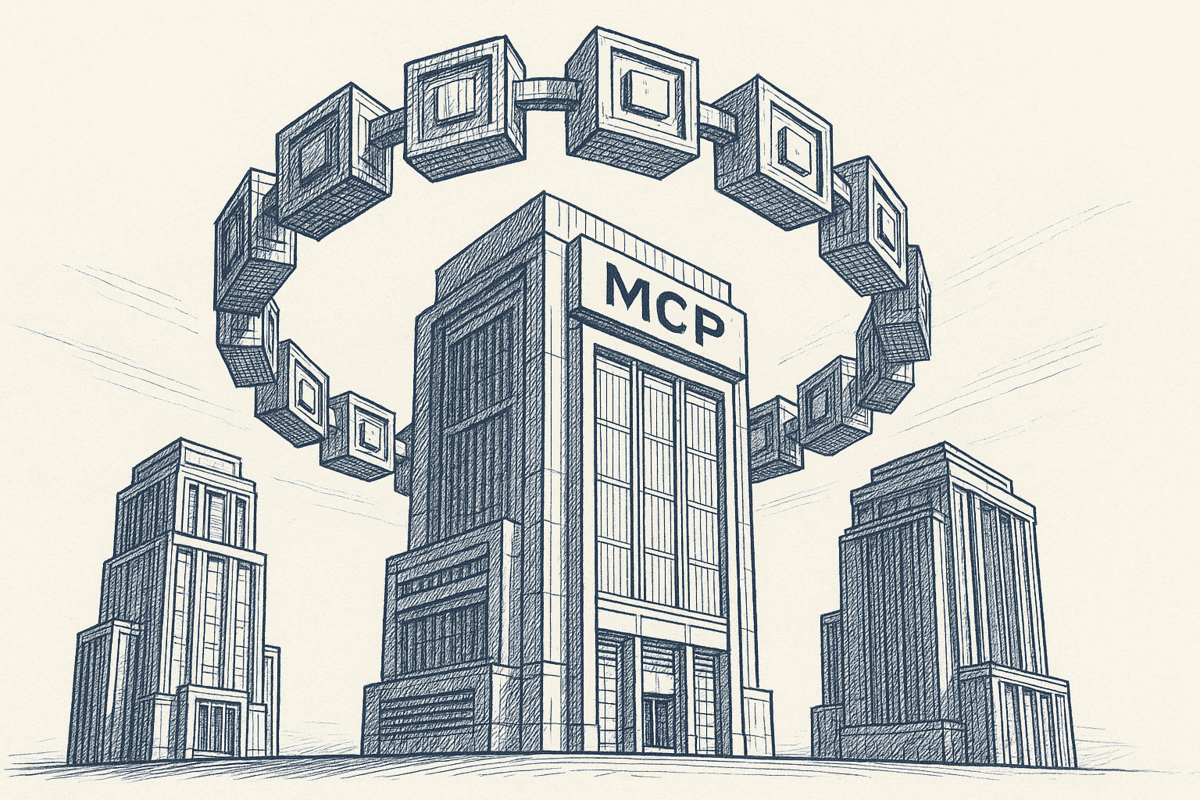
This is the newest category, and it works fundamentally differently. Instead of asking teams to centralize their knowledge in a new platform, AI context layers connect to the tools teams already use and make that scattered knowledge searchable through AI. There is no new app to learn. These tools run inside the AI tools your team already uses.
Best for: Teams that already have knowledge spread across multiple tools and want to make it accessible to AI without migrating anything.
Examples: Context Link, eesel AI
Limitation: Depends on the quality and freshness of your existing content. If your docs are outdated, the AI will surface outdated information.
All-in-One Work Platforms
Project management tools that include docs, wikis, and knowledge base features alongside task management and other work capabilities.
Best for: Teams that want a single platform for both project management and knowledge management.
Examples: ClickUp
Limitation: Knowledge management features are secondary to project management. Depth and search quality usually cannot match dedicated KM tools.
Best Knowledge Management Software for Small Teams
1. Context Link
Best for: Founders and business owners running AI-forward small businesses who want one knowledge base every AI tool can query, without switching to a new app.
Context Link gives AI one place to talk to your whole business. Instead of asking teams to build a new knowledge base, it connects to sources you already use (Google Docs, Google Drive, OneDrive, Notion, Basecamp, websites, email inboxes, uploaded files like PDFs and Word docs, and custom connections) and lets you ask source-backed questions from inside ChatGPT, Claude, Copilot, or Gemini. And if a tool isn't in the catalogue, the custom-connections skill lets your AI build the connection itself: if Claude can read it, you can push it to Context Link. Under the hood it works as an AI knowledge base and managed RAG workspace, with semantic search across all connected sources.
Context Link also supports Memories, named canonical documents saved under any /slash route. Write a decision down once and every connected AI tool reads the latest version, with history kept.
- AI capabilities: semantic search across all sources, source-backed answers with citations, Modes for different use cases, Memories
- Integrations: Google Docs, Google Drive, OneDrive, Notion, Basecamp, websites, email inboxes (Gmail, Outlook, Zoho, Fastmail, custom IMAP), file stacks (PDFs, Word docs, Markdown), custom connections. Works inside ChatGPT, Claude, Copilot, Gemini
- Pricing: Starts at $9/month (7-day free trial)
- Strengths: no new app required, works across all AI tools, Memories keep canonical knowledge current, team support
- Limitations: not a standalone wiki. Requires existing knowledge sources to connect to
2. Notion
Best for: Small teams that want a flexible workspace for docs, wikis, databases, and light project management.
Notion is where many small teams already keep their knowledge. Its block-based editor handles everything from simple notes to complex databases, and Notion AI adds search, summaries, and content generation directly in the editor.
- AI capabilities: Notion AI (search, summarize, generate content within Notion)
- Pricing: Free tier available; Plus starts at $10/user/month
- Strengths: Extremely flexible, strong free tier, large template library, built-in AI
- Limitations: AI only works within Notion. Can become disorganized without clear structure. Search quality drops as the workspace grows
3. Confluence
Best for: Teams already using Atlassian products (Jira, Trello) that need structured documentation.
Confluence is the enterprise standard for team wikis. It offers deep integration with the Atlassian ecosystem, robust permissions, and a mature content organization system with spaces, pages, and labels.
- AI capabilities: Atlassian Intelligence (AI search, summaries, content suggestions)
- Pricing: Free for up to 10 users; Standard starts at $6.05/user/month
- Strengths: Deep Atlassian integration, mature platform, strong permissions, free tier for small teams
- Limitations: Interface feels heavy for small teams. Setup takes more effort than lightweight alternatives
4. Guru
Best for: Teams that want AI-verified, always-current knowledge cards accessible within their workflow.
Guru focuses on keeping knowledge accurate with an AI-powered verification system. Content lives as "cards" that team members can access within Slack, browsers, and other tools through an extension.
- AI capabilities: AI-powered search, knowledge verification, content suggestions, automated answers
- Pricing: Starts at $15/user/month
- Strengths: Knowledge verification keeps content fresh, strong browser extension, good Slack integration
- Limitations: Higher price point than alternatives. Card format can feel limiting for complex documentation
5. Slite
Best for: Small teams that want a simple, AI-native wiki without enterprise complexity.
Slite positions itself as a lightweight team wiki with AI at its core. The interface is clean, search is AI-powered, and the learning curve is minimal.
- AI capabilities: AI-powered search, summaries, and Q&A built into the wiki
- Pricing: Free tier available; Standard starts at $8/user/month
- Strengths: Clean interface, strong AI search, easy setup, good for non-technical teams
- Limitations: Less flexible than Notion for complex use cases. Smaller ecosystem and fewer integrations

Photo by Christin Hume on Unsplash
6. Document360
Best for: Teams that need a professional, customer-facing knowledge base with analytics.
Document360 specializes in knowledge base creation for both internal teams and external customers. It offers strong categorization, version control, and detailed analytics on search behavior.
- AI capabilities: AI-powered search, article suggestions, auto-categorization
- Pricing: Starts at $199/project/month
- Strengths: Excellent for customer-facing docs, strong analytics, clean reading experience
- Limitations: Expensive for small teams. Focused on structured documentation. Overkill if you just need an internal wiki
7. Bloomfire
Best for: Mid-sized teams that need AI-powered knowledge sharing with strong search.
Bloomfire combines a knowledge base with AI-powered search and content suggestions. It handles multiple content types including video and audio, making it useful for teams that generate varied formats.
- AI capabilities: AI-powered search, content recommendations, auto-tagging, Q&A
- Pricing: Custom pricing (typically starts around $25/user/month)
- Strengths: Strong AI search, multimedia support, good for content-heavy teams
- Limitations: Custom pricing makes evaluation harder. Designed more for mid-market than true small teams
8. Tettra
Best for: Small teams that want a simple internal wiki with Slack integration.
Tettra is a straightforward internal wiki designed for small teams. It integrates tightly with Slack, allowing team members to ask questions and get answers pulled from the wiki.
- AI capabilities: AI-powered search and suggestions, Slack integration for Q&A
- Pricing: Free for up to 10 users; Scaling starts at $8.33/user/month
- Strengths: Simple setup, good Slack integration, free tier for small teams
- Limitations: Limited features compared to more robust platforms. AI capabilities are basic
9. Nuclino
Best for: Small teams that want the fastest possible wiki setup with minimal friction.
Nuclino is one of the lightest knowledge management tools available. Pages load instantly, the editor is distraction-free, and teams can be up and running in minutes.
- AI capabilities: AI-powered writing assistance, search
- Pricing: Free tier available; Standard starts at $6/user/month
- Strengths: Extremely fast, clean interface, graph view for visualizing knowledge connections, real-time collaboration
- Limitations: Fewer features than Notion or Confluence. Limited integrations. Not suitable for complex documentation needs
10. Helpjuice
Best for: Teams that need a powerful, customizable knowledge base with strong search.
Helpjuice offers a dedicated knowledge base platform with advanced search, detailed analytics, and extensive customization options for branding.
- AI capabilities: Intelligent search with auto-suggestions
- Pricing: Starts at $120/month (up to 4 users)
- Strengths: Powerful search, highly customizable, good analytics, supports internal and external knowledge bases
- Limitations: Expensive for very small teams. Fewer AI-powered features than newer tools
11. ClickUp
Best for: Teams that want knowledge management built into their project management tool.
ClickUp's Docs feature adds wiki and knowledge base capabilities alongside its project management features. For teams already using ClickUp for task management, adding knowledge management avoids yet another tool subscription.
- AI capabilities: ClickUp Brain (AI search across tasks, docs, and people)
- Pricing: Free tier available; Unlimited starts at $7/user/month
- Strengths: All-in-one platform, affordable, strong free tier, AI search across all workspace content
- Limitations: Knowledge management is secondary to project management. Docs feature is not as polished as dedicated wiki tools

Knowledge Management Software Comparison Table
| Tool | Best For | AI Search | Connects to Existing Sources | Starting Price | Free Tier |
|---|---|---|---|---|---|
| Context Link | AI-first teams, multi-tool | Semantic | Yes (Google Docs/Drive, OneDrive, Notion, email, Basecamp, sites, files, custom connections) | $9/mo | 7-day trial |
| Notion | Flexible workspace | Yes | Notion only | $10/user/mo | Yes |
| Confluence | Atlassian teams | Yes | Atlassian ecosystem | $6.05/user/mo | Yes (10 users) |
| Guru | Verified knowledge | Yes | Via extensions | $15/user/mo | No |
| Slite | Simple AI wiki | Yes | Slite only | $8/user/mo | Yes |
| Document360 | Customer-facing KB | Yes | Document360 only | $199/project/mo | No |
| Bloomfire | Content-heavy teams | Yes | Bloomfire only | ~$25/user/mo | No |
| Tettra | Slack-integrated wiki | Basic | Slack integration | $8.33/user/mo | Yes (10 users) |
| Nuclino | Lightweight wiki | Basic | Nuclino only | $6/user/mo | Yes |
| Helpjuice | Customizable KB | Basic | Helpjuice only | $120/mo | No |
| ClickUp | All-in-one work | Yes | ClickUp only | $7/user/mo | Yes |

Photo by Annie Spratt on Unsplash
How to Choose Knowledge Management Software
By Team Size
1-5 people: Keep it lightweight. Notion, Slite, or Nuclino give you a simple wiki without overhead. If your team already uses AI tools daily, Context Link adds knowledge retrieval without requiring a new platform to open.
5-20 people: Structure starts to matter. Guru's verification system keeps content accurate as more people contribute. Tettra's Slack integration reduces friction for teams that live in chat. Context Link scales here because it searches across whatever tools the team already uses.
20-200 people: You need permissions, governance, and organized spaces. Confluence handles enterprise-grade documentation. Bloomfire or Document360 offer robust search and analytics for larger content libraries.
By Primary Use Case
Your team uses AI daily: Prioritize tools with strong AI integration. Even better, consider an AI context layer that makes your knowledge accessible across all AI tools without adding another app to your stack.
You need customer-facing documentation: Document360 or Helpjuice. Both are built for creating polished, searchable help centers.
You want an internal wiki: Notion, Slite, Tettra, or Nuclino. Each takes a different approach to the simplicity-vs-flexibility tradeoff.
You want to avoid migrating content: If your knowledge already lives in Notion, Google Docs, email, and other tools, an AI context layer like Context Link lets you create a single source of truth for AI without moving anything.

Photo by Tanja Tepavac on Unsplash
What to Look For
- Semantic search, not just keyword matching: Your team uses different words for the same concepts. Good knowledge management software finds what you mean, not just what you type.
- Integration with existing tools: The less migration required, the faster your team adopts it.
- AI-readable output: If your team uses AI tools, your knowledge management software should make content accessible to those tools.
- Privacy controls: Choose exactly what gets indexed and who can access it.
- Setup speed: If it takes months to deploy, your small team will not finish the rollout.
- Pricing that scales: Avoid tools where costs jump dramatically as your team grows.
Knowledge Management for AI: The Missing Piece
Most knowledge management software was built for a world where only humans needed to find information. That world has changed.
Teams now use AI for everything from drafting marketing copy to answering customer questions to planning product roadmaps. But AI tools like ChatGPT and Claude start every conversation with zero knowledge of your business. They do not know your product specs, brand voice, pricing, or customer base unless you explicitly provide that context.
This is where ai knowledge management becomes the foundation of AI quality. The concept of retrieval-augmented generation, or RAG, describes exactly this: instead of relying on AI's general training, you retrieve specific, relevant knowledge from your own sources and provide it as context. The AI generates better answers because it is working with your actual information, not guessing. For quick lookups, teams can also invoke Context Link's Ask Question skill (/ask-question [question]) to get a single grounded paragraph with numbered citations instead of raw snippets.
The gap in most knowledge management tools is that they were designed for human browsing. Click through folders, read pages, scan headings. AI tools need something different: a way to search by meaning across all your sources and receive focused, relevant snippets in a format they can process.
This is why the "AI context layer" category matters. Rather than replacing your existing knowledge tools, a context layer connects them and makes them searchable by AI. Context Link, for instance, connects to Google Docs, Google Drive, OneDrive, Notion, email inboxes, Basecamp, websites, uploaded files, and custom connections, then provides AI knowledge base capabilities through semantic search across all sources simultaneously. And because it runs inside the AI tools your team already uses, there is no new app to learn or switch to.
The result: your team keeps working in the tools they already have, and AI gets the context it needs to produce accurate, grounded output instead of hallucinating.

Getting Started: Set Up Knowledge Management in Under an Hour
You do not need a six-month implementation project. Here is a practical starting point:
Step 1: Audit where your knowledge actually lives (10 minutes). List every tool your team uses to create or store knowledge: Google Docs, Notion, email, Slack, Basecamp, your website, shared drives. Note which ones hold the most critical, frequently accessed information.
Step 2: Pick one tool from this guide based on your situation. Starting fresh with no docs? Try Notion or Slite. Already have knowledge scattered across tools? Consider Context Link. Need customer-facing docs? Look at Document360.
Step 3: Connect your most important source first. Do not try to index everything at once. Start with the single source your team references most, usually your website, main Notion workspace, or primary Google Drive folder. The goal is a single source of truth your team and AI can rely on.
Step 4: Test with a real question your team asks weekly. Search for something your team actually looks up regularly. "What is our refund policy?" or "What are the current product specs?" If the tool returns accurate, useful results, you are on the right track.
Step 5: Expand gradually. Add more sources over the following weeks. Invite team members. Create structure as patterns emerge, not before.
Conclusion
Knowledge management software is no longer optional for teams that use AI in their daily work. The quality of your AI outputs depends on whether AI can access accurate, current information about your business.
Key takeaways:
- Traditional wikis (Notion, Confluence, Nuclino) work well for teams starting fresh with structured documentation
- AI-powered platforms (Guru, Slite, Bloomfire) add intelligent search and verification to centralized knowledge bases
- AI context layers (Context Link) are the best fit for teams that already have knowledge spread across multiple tools and want to make it searchable by AI without migrating content or switching to a new app. Answers come back source-backed with citations, and settled decisions can be saved as Memories so every AI reads the latest version
- The best tool is the one your team will actually use. Context Link connects via Skills and MCP, so AI pulls in company knowledge automatically when it thinks it will help. No behavior change, no onboarding. Your team just gets better results from the AI tools they already have open
Do not wait for the perfect system. Connect your most important knowledge source to AI today, test it with a real question, and build from there. The teams that figure out knowledge management for AI now will have a meaningful advantage as AI becomes central to how work gets done.
Try Context Link free and connect your first source in minutes.
One search across everything
Connect it once. Every AI can read it.
Context Link indexes your files, drive, email, sites and notes in one place, then hands ChatGPT, Claude and Gemini the same source-backed answers with citations.
7-day free trial · No card to start · Cancel any time