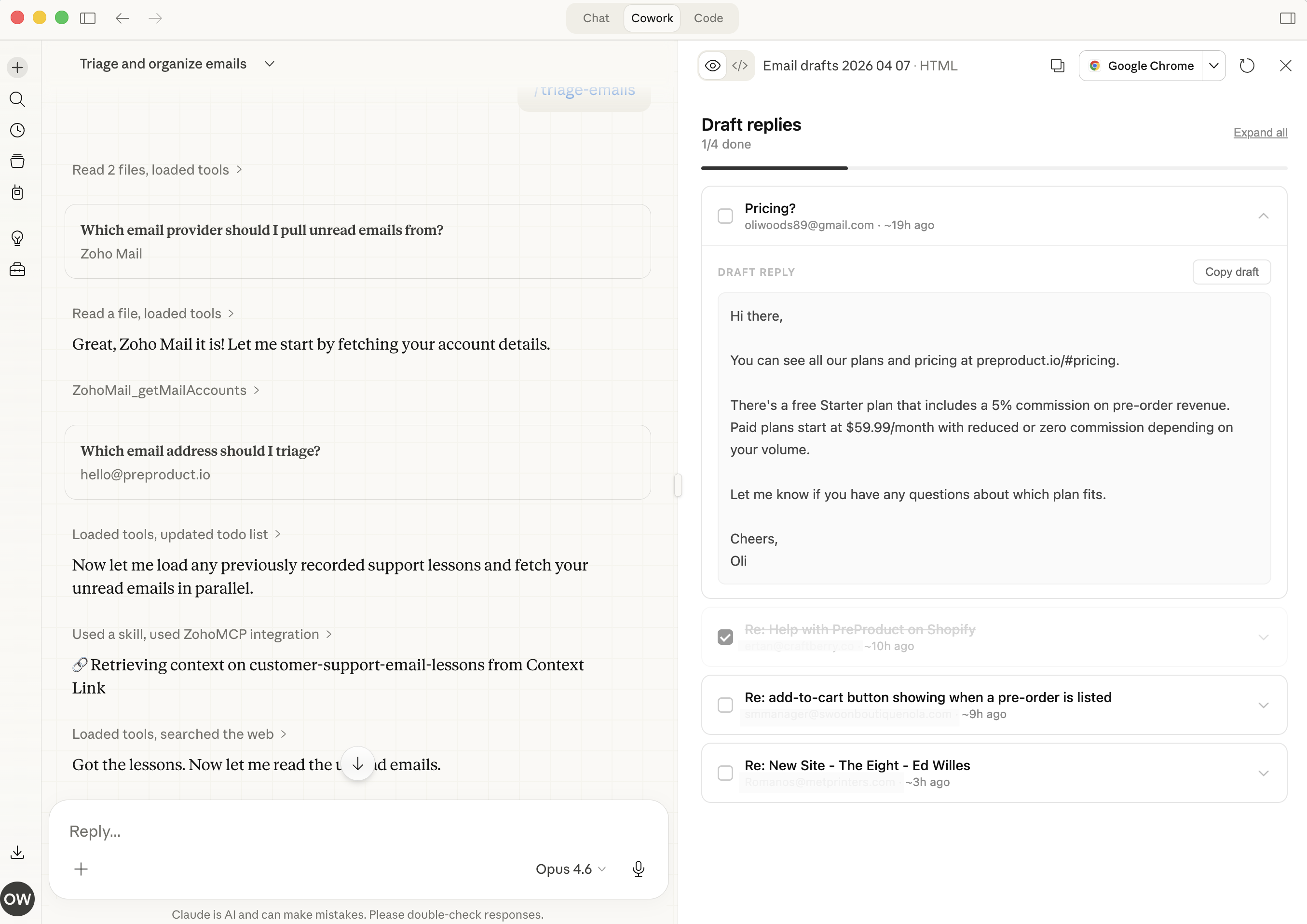
How to Use Claude for Customer Support Emails (With Your Company Knowledge)
Claude writes the most natural-sounding support emails of any AI model right now. It picks up on frustrated customers, follows complex instructions like "reply in their language, reference our return policy, and keep it under three paragraphs," and produces drafts that don't sound like they came from a bot.
But here's the catch: without your company's actual knowledge, Claude is still guessing. It doesn't know your products, your pricing, your return policy, or what you told that customer last week. Using Claude for customer support without connecting it to your business context is like hiring a brilliant new rep and telling them to answer emails on their first day, before training.
That's why we released the free, opensource Email Triage plugin for Claude.
This guide shows you how to set up Claude for customer support emails the right way: connected to your real company knowledge, so every draft is grounded in facts your team actually stands behind.
Why Claude Is the Best AI for Customer Support Emails
Not all AI models are equal when it comes to ai customer support. Support emails are high-stakes, they're longer than chat messages, more formal, and often deal with complex issues where accuracy matters more than speed. If you're evaluating AI customer service tools, the model you choose for email drafting matters more than you'd think.
Here's how the major models compare for email specifically:
| Capability | Claude | ChatGPT | Gemini |
|---|---|---|---|
| Tone matching | Best, picks up emotional cues naturally | Solid but can feel formulaic | Lags behind on nuance |
| Multi-constraint instructions | Excellent, handles "do X, reference Y, keep it under Z" reliably | Good | Good for simple constraints |
| Email writing quality | Most human-sounding drafts | Professional and clear | Better for summarizing long threads |
| Safety and accuracy | Conservative, prefers to say "I don't know" over fabricating | More willing to generate confidently | Varies |
According to a comparison by Missive, Claude produces "the most human-sounding drafts" and handles emotional cues better than alternatives. When a customer sounds frustrated, Claude acknowledges it naturally instead of defaulting to a generic "Thanks for reaching out!"
Claude's cautious approach is actually an advantage for support. You'd rather Claude say "I need to check on this" than confidently give a customer the wrong refund amount. Anthropic's customer support agent guide documents these strengths in detail.
But the model itself is only half the equation when building an AI customer service agent. The other half is context.

Photo by Petr Machacek on Unsplash
The Knowledge Gap: Why Generic AI Customer Support Fails
Here's a support email that any small business might receive:
"Hi, I ordered the Pro plan last week but I'm being charged for Enterprise. Can you fix this and confirm what features I should have access to?"
Now here's what Claude drafts without your company context:
"Thank you for reaching out about your billing concern. I'd be happy to help you with your plan and charges. Could you please provide your account details so I can look into this for you?"
Polite? Sure. Helpful? Not really. The customer already told you what's wrong. They want a fix, not a form letter asking them to repeat themselves.
This is the knowledge gap problem, and it affects every AI customer support tool on the market, not just Claude. The AI doesn't know your plans, your pricing, your billing system, or this customer's history. So it falls back on generic responses that sound helpful but solve nothing, or worse, it makes up details that are flat wrong.
The numbers back this up. According to SuperOffice's benchmark study, 62% of companies don't respond to customer service emails at all, and the average response time for those that do is 12 hours and 10 minutes. Small teams aren't ignoring customers because they don't care, they're overwhelmed. AI should help, but only if it gives answers worth sending.
The fix isn't better prompts. It's better context. You need to build an AI knowledge base that connects your company's actual information to the AI doing the writing.

Connect Your Knowledge Sources Before Writing a Single Email
Before you ask Claude to draft a single support email, connect it to the information your support team actually uses. This is the step most guides skip, and it's the one that matters most.
What to Connect
Think about what a new support hire would need access to on day one:
- Product documentation, features, specs, plans, pricing
- Support SOPs, how to handle refunds, escalations, billing disputes
- FAQ and help center articles, the answers you've already written
- Past email threads, how your team actually responds (tone, level of detail)
- Internal policies, return windows, SLA commitments, discount rules
How to Connect It
There are three broad approaches:
Manual copy-paste: Open your docs, copy the relevant sections, paste into Claude before each email. This works for one-off emails but doesn't scale. You'll spend more time finding and pasting context than writing the reply.
Claude Projects: Upload key documents to a Claude Project so they persist across conversations. Better than copy-paste, but you're still managing files manually, and it only works within Claude, not ChatGPT, Copilot, or any other tool your team might use.
Live business view (Context Link): Connect your sources once, Notion, Google Docs, OneDrive, email, your website, Basecamp, and Claude can ask source-backed questions across all of them from inside the chat. When you ask Claude to "get context on refund policy," it pulls the exact relevant snippets from your connected docs. No manual searching. Works across any AI tool. On the dashboard side you also get analytical Lenses, including a Customer Support Pulse Lens that reads the support inbox and surfaces top recurring issues, customer temperament, and threads worth attention. This is how RAG for Claude works in practice.
The approach you choose depends on your volume. If you're handling five support emails a day, Projects might be enough. If you're handling 50, you need retrieval that's automatic.

Five Customer Support Email Workflows With Claude
Here are five specific workflows where Claude plus your company knowledge produces emails worth sending.
1. Triage and Prioritize Incoming Emails
Before you reply, you need to know what's urgent. Claude can scan a batch of unread support emails and categorize them by type (billing, technical, feature request, complaint) and urgency.
How it works: Connect your email to Claude using an email triage plugin or feed emails manually. Claude reads each message, classifies it, and flags anything that needs immediate human attention. This is essentially ai email triage, automating the sorting step so your team jumps straight to answering.
What this replaces: Manually scanning your inbox every morning, deciding what to answer first.
Step it up with a Customer Support Pulse Lens: rather than only triaging individual messages, observe the inbox as a whole. Context Link's Customer Support Pulse Lens runs on a schedule and surfaces top recurring issues, customer temperament, hot threads worth attention, and common asks, kept current by recurring AI deep research. It tells you what's true right now, what changed, and what needs attention before any one ticket forces you to look.
2. Draft First-Response Replies
The most common workflow. A customer emails in, Claude drafts a reply using your connected knowledge, and a human reviews it before sending.
Example prompt (with context retrieval):
Get context on our shipping policy and return windows.

A customer says their order arrived damaged and wants a replacement.
Draft a support email that:
- Acknowledges the issue with empathy
- Explains our replacement process using the policy details above
- Gives them a clear next step
- Keeps it under 150 words
The difference between this and a generic prompt is everything after "Get context on." Claude isn't guessing your shipping policy, it's reading the actual document.
3. Handle Refund and Return Requests
Refund emails are where accuracy matters most. Wrong information here costs you money or customer trust.
Connect your refund policy, plan pricing, and return window docs. Then let Claude draft responses that reference the actual terms, "Since your order is within our 30-day return window, here's what happens next" instead of "Please review our return policy on our website."
4. Technical Support Troubleshooting
For product or technical issues, Claude can pull from your help center, product docs, and known-issues list to draft troubleshooting steps.
Example prompt:
Get context on SSO setup and known issues.

A customer on the Pro plan says SSO isn't working after
following the setup guide. Draft a reply with:
- 2-3 troubleshooting steps from our docs
- A link to the relevant help article
- An offer to escalate if those don't work
This is where the knowledge gap is most painful. Without your docs, Claude will generate generic troubleshooting advice that doesn't match your product. With your docs, it writes like a senior support rep.
5. Escalation and Handoff Emails
When an issue needs to move from one team member to another, Claude can draft internal handoff emails or customer-facing escalation notices. It summarizes the conversation so far, notes what's been tried, and sets expectations for next steps.
This saves the receiving team member from re-reading the entire thread, and the customer from re-explaining their problem.

Photo by Kit (formerly ConvertKit) on Unsplash
Sample Prompts You Can Steal
Here are three ready-to-use prompts. Each one includes context retrieval so Claude works from your actual data, not its training data.
General Support Reply
Get context on [topic the customer is asking about].

Draft a support email replying to this customer message:
[paste customer email]

Use our actual product details and policies from the context.
Keep the tone friendly and professional. Under 200 words.
If the context doesn't contain enough information to answer
accurately, say so rather than guessing.
Billing Dispute
Get context on pricing plans and billing policies.

A customer says: [paste their message]

Draft a reply that references our actual plan pricing and
billing terms. If they're right about being overcharged,
acknowledge it clearly and explain the fix. If not, explain
why their charge is correct using specific plan details.
Batch Triage
Get context on our support categories and SLA commitments.

Here are 10 unread support emails. For each one:
1. Categorize (billing, technical, feature request, complaint, other)
2. Rate urgency (high, medium, low)
3. Draft a 1-sentence suggested response direction

[paste emails]
The key instruction across all of these: "If the context doesn't contain enough information, say so rather than guessing." This prevents Claude from fabricating company details, the single biggest risk of using AI for customer-facing emails. Without a single source of truth feeding the AI, even the best prompts can produce inaccurate answers.

Measuring Your AI Customer Support Performance
Track these four metrics to know if your AI-assisted email workflow is actually working:
- First-response time: How quickly customers get their first reply. Target: under four hours. (For reference, SuperOffice found the average is over 12 hours.)
- First-contact resolution (FCR): What percentage of issues are resolved in a single email. Target: 70% or higher.
- Customer satisfaction (CSAT): Post-interaction survey scores. Target: 90% or higher. Octopus Energy reported 80% CSAT on AI-drafted emails, higher than their 65% for human-written ones.
- Edit rate: How much your team changes Claude's drafts before sending. A high edit rate means your context sources need updating. A low edit rate means the system is working.
The feedback loop matters here. When you review a Claude draft and fix something, a wrong price, an outdated policy, a tone that's off, update the source document. Next time Claude retrieves that context, the draft will be better. This is context engineering in practice: your AI gets sharper every time you correct it and update the knowledge it pulls from.

Photo by Vitaly Gariev on Unsplash
When Not to Use AI for Support Emails
Claude is a drafting tool, not an autopilot. Keep humans in the loop for:
- Legal or compliance-sensitive replies, anything involving terms of service disputes, liability, or regulatory requirements
- Emotionally charged situations, a genuinely upset customer needs a human who can go off-script
- VIP or high-value accounts, where the relationship matters more than response speed
- When Claude doesn't have enough context, it's always better to say "Let me check on that and get back to you" than to send an AI-generated guess
The goal is augmentation, not replacement. Claude handles the first draft; your team handles the judgment.
Getting Started With Claude for Customer Support
If you're evaluating Claude for business use, customer support emails are the highest-ROI starting point. It comes down to one principle: connect your knowledge first, then let AI draft.
Without your company's actual products, policies, and context, Claude produces the same polished-but-useless replies as every other AI tool. With your knowledge connected, it writes like a veteran team member who knows your products, your policies, and how your team talks to customers.
Here's the path:
- Start small: Pick your five most common support email types. Gather the docs Claude would need to answer each one.
- Connect your sources: Upload to Claude Projects, or connect them to Context Link for automatic retrieval across any AI tool.
- Test with real emails: Run Claude against actual support emails from the last week. Compare its drafts to what your team actually sent.
- Refine the context: Where Claude gets things wrong, update your source docs. The system gets better every cycle.
- Observe the inbox as a whole: turn on the Customer Support Pulse Lens to see what's true right now, what changed, and what needs attention across all incoming threads. When something shifts (recurring issue, mood change, common ask), pick a goal for the Lens and work through Suggested Actions to close the loop.
- Scale gradually: Once Claude handles your top five email types reliably, expand to the next five.
You don't need an enterprise help desk platform to do this. A small team with Claude and their existing docs can cut response times in half without losing accuracy. The key is giving Claude the knowledge it needs to get the details right.