An AI research tool powered by
your own business sources
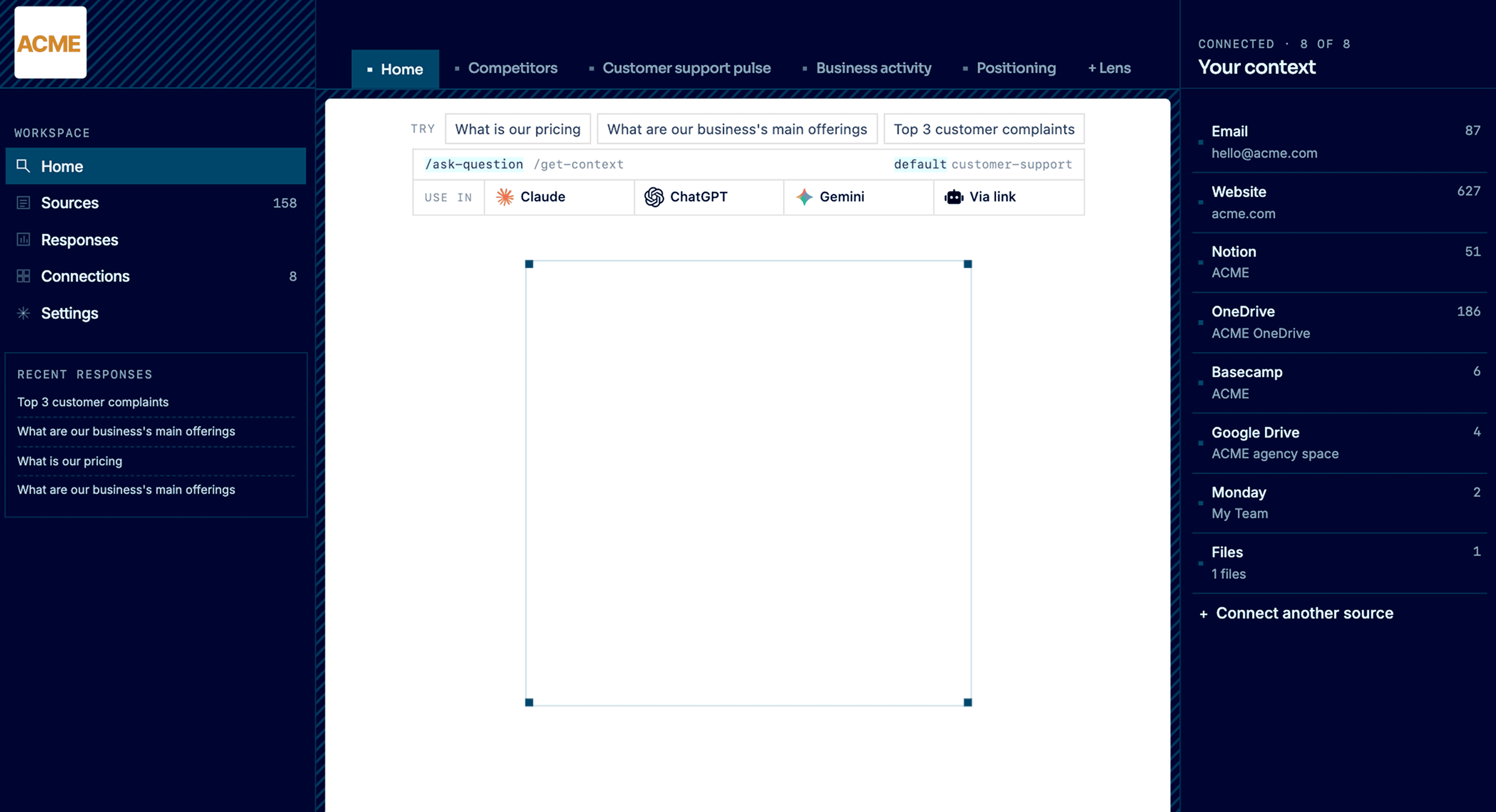
Connect Notion, Docs, websites, and inboxes once. Run source-backed research from inside ChatGPT or Claude, with recurring AI deep research on positioning, competitors and more.
*Start for free

One query
across every source
Notion, Google Docs, Google Drive, OneDrive, Basecamp, Monday, websites, email, and files. Ask one question and Context Link searches across all of them, so you don't have to guess where the answer lives.

Runs from inside
ChatGPT and Claude
No new chat app. The research tool lives inside the AI you already use, via the ChatGPT connector, Claude skill, or any MCP-aware agent. Source-backed answers with citations, in the flow.

Deep research
on a schedule
Lenses run recurring AI deep research on positioning, competitors, customer support, and business activity. Research keeps happening in the background, so you spot what changed before it bites.
works with:







 Basecamp






1. Connect
Plug in the places your business already exists.
Notion, Google Docs, websites, inboxes, files, project tools. Context Link keeps them all in sync as one connected knowledge base. Stop copy-pasting context into every AI prompt. Your business is already written down. It just needs to live somewhere AI can read.
2. Ask
Ask your business anything.
Get source-backed answers across everything you've connected: pricing, positioning, support patterns, customer signal, competitor moves. A vector database under the hood means AI searches by meaning, not just keywords. Your team asks from the dashboard. Claude, ChatGPT, and any MCP-aware agent ask through the integrations. Every answer cites where it came from.
3. Observe
See your business like never before.
Lenses are live, source-backed views: competitors, customer support pulse, positioning, business activity. Each one combines your connected sources with recurring AI deep research to answer: what's true right now, what changed, and what needs attention. Every result is backed by evidence in the right-hand column, so you can see why things are the way they are.
4. Evolve
Move the business where you want it to go.
Pick a goal for a Lens: go upmarket, tighten your ICP, refresh positioning. Context Link briefs an AI on everything that matters: your sources, your Lens, your history. The goal becomes concrete next actions you can copy, open in any AI tool, or run yourself.
features
Connect your research corpus
Plug in Notion, Google Docs, Google Drive, OneDrive, Basecamp, Monday, websites, email inboxes, and files. Context Link cleans, chunks, and embeds everything into one vector-indexed knowledge base, then auto re-syncs so your research tool is always reading current source material.

features
Ask your business anything
Get context on a topic for raw, AI-friendly chunks the model can reason over, or ask Context Link for a grounded paragraph with numbered citations. Works from the dashboard, from inside Claude, ChatGPT, and any MCP-aware agent. Every answer cites where it came from, so research stays auditable.

features
Observe through Lenses
Lenses are source-backed analytical views of your business: positioning, competitors, customer support pulse, business activity. Each one combines your connected sources with recurring AI deep research to surface what's true right now, what changed, and what needs attention.

features
Evolve through Suggested Actions
Pick a goal for any Lens: respond to a competitor launch, tighten your ICP, fix a customer pain point. Context Link briefs an AI on your sources, your Lens, and your latest deep research, then turns the goal into concrete next actions you can copy, open in any AI tool, or run yourself.
Integrates with the AI you already use
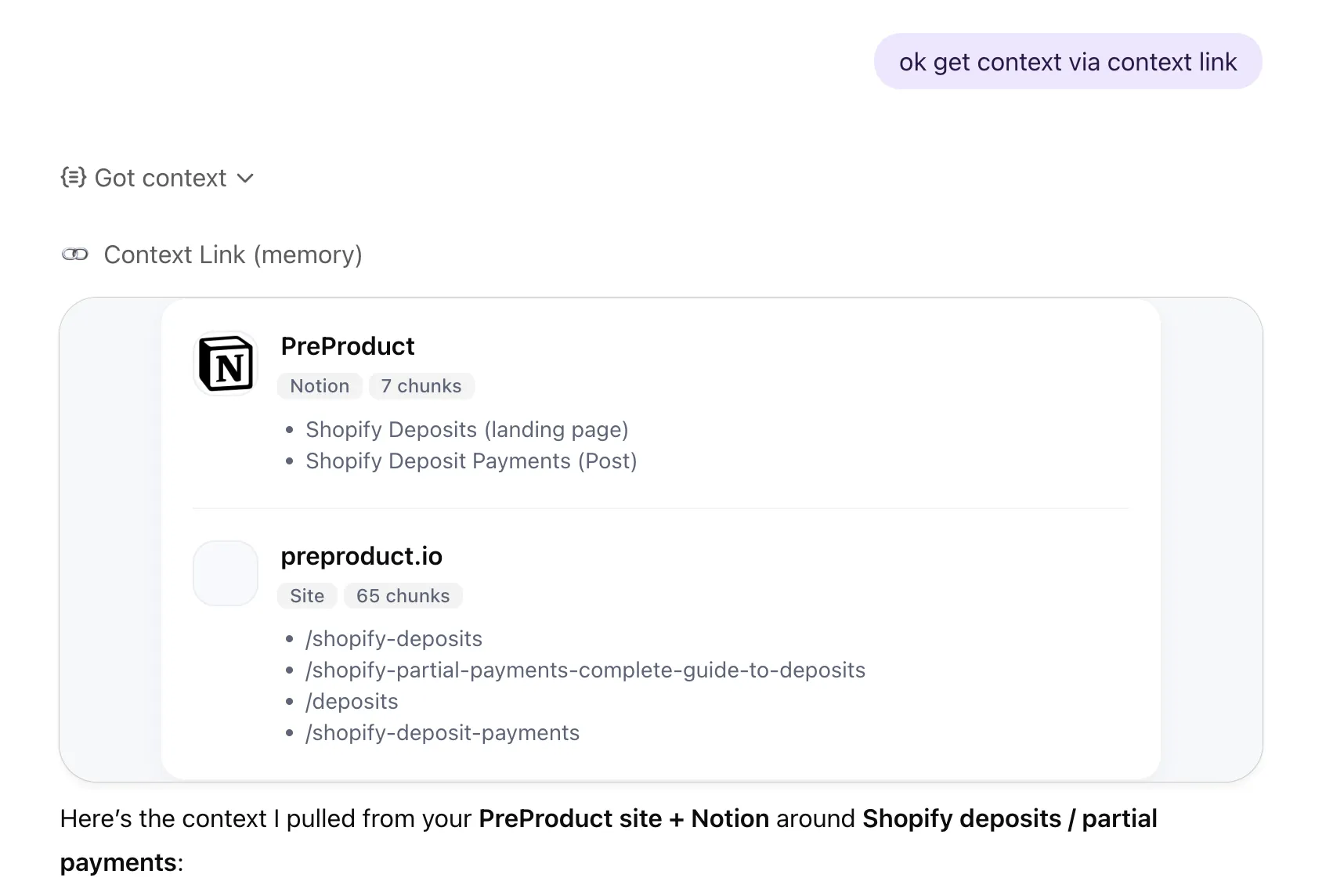
 Get Context
· ChatGPT
Get Context
· ChatGPT
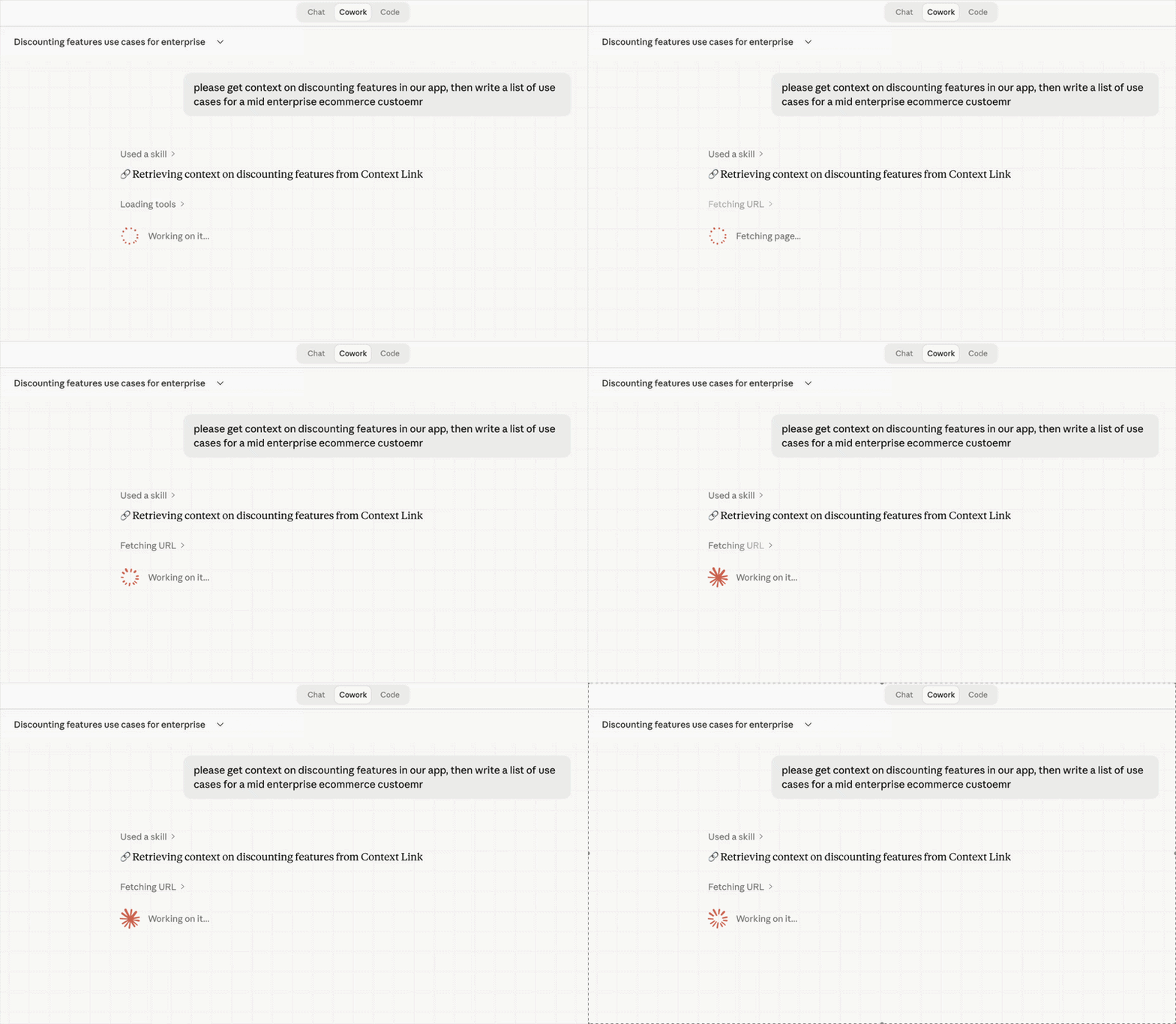
 Get Context
· Claude
Get Context
· Claude
Industries
Context Link works with your kind of business.
Add Context Link to your computer or phone so business context is never more than a click away.

See your e-commerce business as a set of live views: who you're really competing with, what customers keep contacting support about, how your brand is actually landing. Each one is source-backed and updates as the business moves, not a quarterly guess. It runs on what you already have: connect the support inbox, brand book, catalogue and help centre, and the picture stays current on its own.

See your software business from every angle: your positioning, your competitive set, the marketing channels actually working. Live, source-backed views that tell you what's true now and what changed, so you know before the next launch, not after. It builds from the docs you already keep, like specs, changelogs, interviews and support threads, read where they live so the view never goes stale.
See the studio the way the outside world does: a live read on how your positioning actually comes across, not how you hope it does. Source-backed, and grounded in your own back-catalogue of briefs, case studies, brand books and project archives, so strategy stops half-remembering and starts citing, and every pitch stands on the studio's real history.

See your business from every angle: positioning, competitors, customer support and more, as live, source-backed views that tell you what's true right now, what changed, and what needs attention. They build from the places the business already lives, like docs, sites, inboxes and files, so the view stays current without anyone maintaining it. Your business stops being something you re-explain, and becomes something you can watch and talk to.
Workflows
See exactly what the tool used and improve over time
Every research query is logged: which sources were pulled, what was returned, and when. Review quality, spot gaps in your content, and re-sync anything that has drifted from reality.
Workflows
You control what the tool can read
Choose exactly which Notion pages, Google Docs, folders, and site sections the research tool can access. Add, remove, or re-sync sources anytime. Nothing gets researched that you haven't approved.
Tune per use case
One research base weighted for every team
Context Link supports organisation-wide sources alongside user-specific ones, so the whole team researches from a shared foundation. Take it further with Modes: named weighting profiles like 'customer-support' or 'sales' that re-weight the same sources per use case. Boost help docs for support research, then case studies and product specs for sales. Same knowledge base, different lens.
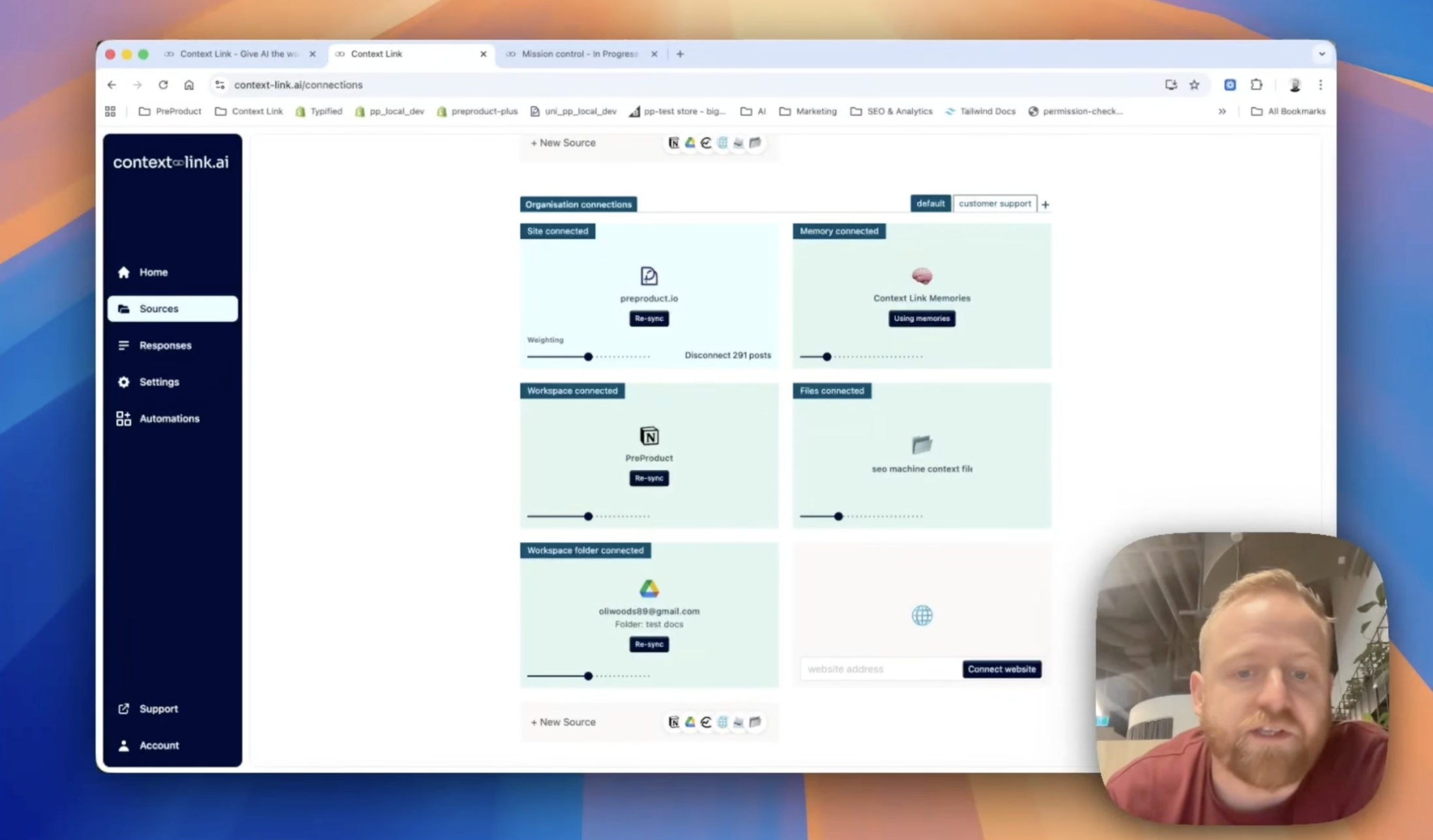
Share context across your team
Stop pasting the same docs into every chat. Share one link, and your team's AIs can pull the latest context from your connected sources—consistently, every time.
(ChatGPT)
(Claude)

agent 004
session




 +
+
+
+
+
+
Frequently Asked Questions
What is an AI research tool?
An AI research tool uses LLMs to find, synthesise, and explain information across a body of sources, so you don't have to dig through them manually. Context Link is an AI research tool for your own business: it researches across your connected Notion pages, Google Docs, websites, inboxes, and files, then returns source-backed answers with citations from inside the AI tool you already use.
How is this different from ChatGPT deep research or Perplexity?
ChatGPT deep research and Perplexity mostly research the public web. Context Link researches your own business: the docs, sites, inboxes, and project tools you've connected. Get context on your pricing strategy and you'll get answers grounded in your actual pricing page, sales deck, and Notion docs, not a generic web summary. Lenses also run recurring AI deep research on a schedule, so research keeps happening in the background.
Can it research across multiple sources at once?
Yes, and that's the point. Native AI connectors (Gmail connector, Drive connector, etc.) only search one source at a time. With Context Link, you ask once and the tool searches across email, Notion, Google Docs, Basecamp, Monday, OneDrive, websites, and files in one go. Especially useful when an answer is spread across tools, like pricing discussed over email, documented in a Google Doc, and summarised in Basecamp.
Which AI tools does it work with?
Context Link works with Claude (via the Claude skill), ChatGPT (via the app connector), Microsoft Copilot, Gemini, and any MCP-aware agent like Claude Code or Cursor (via the MCP server). One setup, every AI tool. There's also a personal subdomain fallback for anything else.
What is recurring AI deep research?
On a schedule, Context Link runs a deep research model against the questions each Lens needs answered, slices the findings per Lens, and feeds them into the next snapshot. You don't kick it off manually; the research just keeps happening. That's how a Competitors Lens stays current on what competitors shipped last week, or a Positioning Lens spots when your messaging has drifted across channels.
Is my data safe?
Context Link only indexes sources you explicitly connect, and you choose which pages, folders, and sites are included. Credentials are encrypted at rest, you can disconnect or remove content at any time, and Context Link doesn't train AI models on your data. It's an input layer for AI, not a training pipeline.