
AI Collaboration Tools: The Complete Guide for Teams


Project Management With AI
Automate tasks, generate summaries, and predict timelines. Tools like Asana, ClickUp, and Monday.com.
Communication & Meeting Tools
Summarize meetings, transcribe conversations, and surface messages. Tools like Slack AI, Zoom, and Otter.ai.

Document Collaboration With AI
Create, edit, and organize documents with AI. Tools like Notion AI, Google Gemini, and Confluence.

Shared AI Context
Connect your team's knowledge across all tools so every AI conversation starts with accurate context.
Your team uses AI every day. But everyone uses it differently, pasting different docs, writing different prompts, getting different results. One person's Claude draft says the product costs $49/month. Another's ChatGPT output says $39. Neither checked. This is the gap that most AI collaboration tools don't address.
The real problem isn't finding the right project management tool with an AI summary feature. It's about giving your team's AI tools access to the same knowledge so every conversation starts from understanding, not guesswork.
This guide breaks down AI collaboration tools into four categories, explains what most comparison articles miss, and shows how to build the context layer that keeps your team's AI output consistent and accurate.
What Are AI Collaboration Tools?
AI collaboration tools are software platforms that help teams work together more effectively by incorporating artificial intelligence into their workflows. They range from project management tools with AI-powered task automation to platforms that give AI access to your team's shared knowledge.
Most guides define this category narrowly, listing project management apps that added AI summaries or meeting tools with auto-transcription. That's part of the picture, but it misses the biggest shift happening right now: tools that make AI itself a more knowledgeable collaborator by connecting it to what your team actually knows.
The distinction matters. A tool with AI features automates existing workflows. An AI collaboration platform that gives AI your team's context changes the quality of every AI interaction across your organization.
The Problem Most AI Collaboration Tools Don't Solve
Here's what typically happens when a team "adopts AI":
- Everyone uses AI individually. Marketing uses Claude for copy. Sales uses ChatGPT for proposals. Support uses Copilot for reply drafts.
- Nobody shares context. Each person pastes their own version of product info, brand guidelines, and company facts into their AI tool of choice.
- AI starts from scratch every time. Every new chat session means re-explaining who you are, what you sell, and how you talk about it.
- Outputs drift. Without shared context, AI-generated content across the team gradually diverges, different facts, different tone, different messaging.
The result: your team is faster at producing content, but less consistent. The AI is helpful but uninformed. Nobody notices the drift until a customer points out that your website says one thing and your support bot says another.
This is a context engineering problem, not a tool selection problem. The fix isn't another AI-powered kanban board. It's giving AI access to a shared, searchable layer of your team's actual knowledge.
AI Collaboration Tools by Category
AI collaboration tools fall into four broad categories. Most teams need tools from multiple categories, but almost everyone overlooks the fourth.
Category 1: Project Management With AI
What they do: Automate task assignments, generate status summaries, predict project timelines, and surface bottlenecks using AI.
Popular tools: Asana, ClickUp, Monday.com, Wrike, Smartsheet
Where they shine: These tools reduce the overhead of managing work. AI features like auto-generated status updates, smart task routing, and workload predictions save project managers hours per week. If your team's collaboration bottleneck is "nobody knows what's happening," these tools help.
What's missing: The AI in these tools knows your tasks and timelines, but not your product, your brand, or your customer base. It can tell you a project is behind schedule, but it can't draft an accurate product description or write a support reply grounded in your actual documentation.
Category 2: Communication and Meeting Tools With AI
What they do: Summarize meetings, transcribe conversations, surface relevant messages, and suggest follow-ups.
Popular tools: Slack (with Slack AI), Zoom Workplace, Microsoft Teams, Otter.ai, Loom
Where they shine: Meeting summaries and async catch-ups are genuinely useful. Slack AI's channel summaries, Zoom's meeting recaps, and Otter's transcription save teams from the "what did we decide?" problem. For distributed teams, these features are close to essential.
What's missing: Context stays siloed in each tool. Slack AI knows your Slack channels. Zoom AI knows your meetings. Neither knows your product docs, brand guidelines, or customer data. The insights from one tool don't flow into another, your meeting summary in Zoom doesn't inform your next Claude conversation.

Photo by Bluestonex on Unsplash
Category 3: Document Collaboration With AI
What they do: Help teams create, edit, and organize documents with AI assistance, drafting, summarizing, formatting, and suggesting content.
Popular tools: Notion (with Notion AI), Google Workspace (with Gemini), Confluence, Coda
Where they shine: AI-assisted writing and organization within a single document platform. Notion AI can summarize pages, Google Gemini can draft in Docs, and Confluence can surface answers from your wiki. These tools are where most team knowledge actually lives.
What's missing: Each tool's AI only knows what's inside that tool. Notion AI searches Notion. Gemini searches Google Workspace. If your knowledge spans both, plus your website, help center, and a few shared drives, no single tool's AI sees the full picture. You end up with capable AI in each silo, but no AI that understands your business as a whole.
Category 4: Shared AI Context (The Missing Layer)
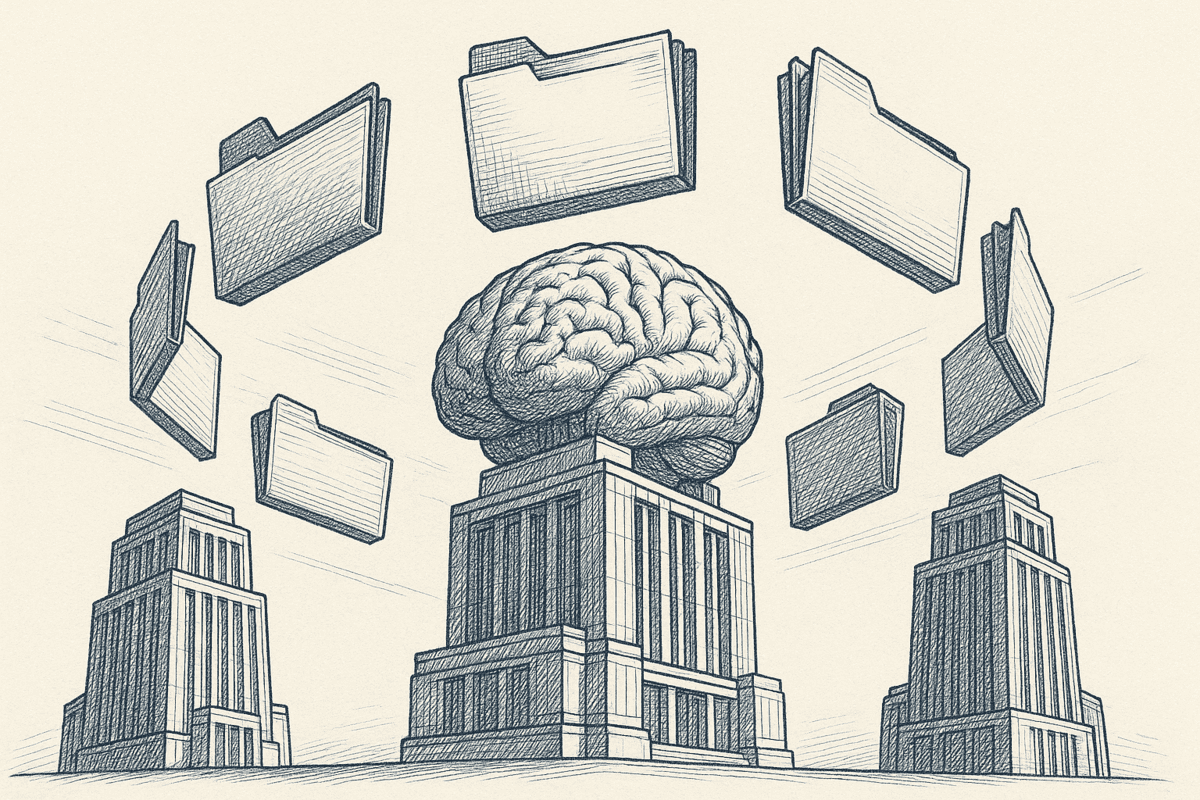
What they do: Give AI access to your team's collective knowledge across tools, so every AI conversation, in any tool, starts with accurate context about your business.
Examples: Context Link (small and mid-size teams), Glean (enterprise), custom RAG pipelines (developer-built)
Where they shine: This is the category that solves the consistency problem. Instead of each team member pasting their own version of product info into AI, everyone's AI pulls from the same connected sources, your website, Notion workspace, Google Docs, help center. The AI retrieves only the relevant snippets for each conversation, keeping responses focused without being overwhelmed.
Context Link gives AI a virtual version of your business. Connect your sources once, then any team member can ask Claude, ChatGPT, or Copilot to "get context on [topic]" and get source-backed answers from inside the AI they already use. On top of that retrieval layer sit Lenses, source-backed analytical views like Positioning, Competitors, Customer Support Pulse, and Business Activity, kept current by recurring AI deep research. Each Lens shows what's true right now, what changed, and what needs attention. Pick a goal for a Lens and Suggested Actions turn the insight into concrete next moves the team can run.
Why it matters: This is the layer that turns AI from a generic assistant into a knowledgeable team member. Without it, every other AI collaboration tool operates in isolation, smart within its own silo, uninformed about everything else.
A Real-World Example
A five-person marketing team uses Notion for docs, Slack for communication, and Asana for project tracking. Each tool has AI features. But when the content lead asks Claude to draft a product launch email, Claude doesn't know the product specs (in Notion), the launch timeline (in Asana), or the positioning the team agreed on (in a Slack thread).
With a shared context layer like Context Link, that same team connects their Notion workspace, website, and Google Drive once. The content lead asks Claude to "get context on [product name] launch" and gets the relevant specs, positioning, and timeline pulled from across all connected sources. The draft starts from accurate, shared knowledge instead of whatever one person remembers to paste in.
Comparison: AI Collaboration Tools at a Glance
| Tool | Category | AI Knows Your Docs? | Cross-Tool? | Team Sharing | Best For |
|---|---|---|---|---|---|
| Asana | Project management | Tasks only | No | Yes | Task automation, workload balancing |
| ClickUp | Project management | Tasks + ClickUp docs | No | Yes | All-in-one project workflows |
| Slack AI | Communication | Slack channels only | No | Yes | Channel summaries, async catch-up |
| Zoom Workplace | Communication | Meeting recordings | No | Yes | Meeting summaries, transcription |
| Notion AI | Document collaboration | Notion pages only | No | Yes | Wiki Q&A, document drafting |
| Google Gemini | Document collaboration | Google Workspace only | Partial | Yes | Drafting in Docs, Sheets analysis |
| Confluence | Document collaboration | Confluence spaces | No | Yes | Technical documentation, wikis |
| Miro AI | Whiteboarding | Miro boards only | No | Yes | Visual brainstorming, workshops |
| Glean | Shared context | Yes (enterprise) | Yes | Yes | Enterprise knowledge search |
| Context Link | Shared context | Yes (all sources) | Yes | Yes | SMB teams, multi-tool AI context |
The pattern: most AI collaboration tools excel within their own boundaries but are blind to everything outside them. Shared context tools bridge that gap.

Photo by Sable Flow on Unsplash
How to Choose AI Collaboration Tools for Your Team
Choosing the right AI tools for teams isn't about picking the "best" tool from a ranked list. It's about understanding where your team collaboration actually breaks down.
Start With the Problem, Not the Category
- "We lose track of tasks and deadlines." Project management with AI (Asana, ClickUp, Monday.com)
- "We miss what happens in meetings." Communication tools with AI (Slack AI, Zoom, Otter)
- "We need help writing and organizing docs." Document collaboration with AI (Notion AI, Gemini, Confluence)
- "Our AI outputs are inconsistent across the team." Shared AI context (Context Link, Glean)
- "All of the above." You need tools from multiple categories, and shared context is the foundation that makes the others more useful.
For a broader look at AI tool options across categories, the AI tools for small business guide covers additional options by use case.
The Context Stack Approach
The most effective teams don't pick one AI collaboration tool. They build a stack:
- Foundation: A shared context layer that connects your team's knowledge to any AI tool
- Layer 2: Document collaboration where most knowledge is created and stored
- Layer 3: Communication tools for real-time coordination
- Layer 4: Project management for tracking and accountability
A team might use Notion for docs, Slack for communication, Asana for projects, and Context Link as the shared AI workspace that makes AI useful across all three. When someone asks Claude to draft a product update, it pulls from the same sources the whole team uses. When someone asks ChatGPT to write a support reply, it references the same FAQ and product specs.
What to Evaluate
When comparing AI collaboration tools, look beyond the feature list:
- Context depth: Does the AI just know what's inside this one tool, or can it access your broader knowledge base?
- Cross-tool compatibility: Will this work with Claude, ChatGPT, and Copilot, or only with one model?
- Team sharing: Can your whole team access the same AI context, or does everyone set up their own?
- Source control: Can you choose exactly what the AI sees, and revoke access when needed?
- Retrieval quality: Does the AI dump everything into the conversation, or selectively retrieve what's relevant?
Why Shared AI Context Compounds Over Time
The difference between AI collaboration tools in categories 1-3 versus category 4 isn't just a feature gap. It's a compounding advantage.
When your team builds a single source of truth for AI with connected sources and shared context:
Week 1: You connect your website, Notion workspace, and key Google Docs. AI conversations across the team immediately get more accurate, fewer AI hallucinations, fewer wrong facts, fewer "let me check and get back to you" moments.
Month 1: Team members start using Lenses to see what's actually moving in the business. The Positioning Lens shows where the company narrative has drifted between channels. The Customer Support Pulse Lens reads the inbox so nobody has to triage manually. Recurring AI deep research keeps each Lens current.
Month 3: Snapshot history makes change visible. Not just "here's the current Positioning Lens" but "here's how it shifted in the last month". When something matters, the operator picks a goal for the Lens and works through Suggested Actions briefed on the latest research.
Month 6: Your team's AI is meaningfully different from a fresh ChatGPT session. It knows your products, your positioning, your customer segments, your support patterns. New team members can ask AI informed questions on day one instead of spending weeks building their own context.
This is what separates shared AI context from scattered tool-by-tool AI features. The context layer doesn't just make today's conversation better, it makes every future conversation better too.
Getting Started: Build Your Team's AI Context Layer
If your team already uses AI tools individually and you want to make team collaboration with AI more consistent, here's a practical starting point. This is where AI collaboration tools make the biggest difference:
Step 1: Audit Where Your Team's Knowledge Lives
List the sources your team references most: website, Notion workspace, Google Drive, help center, product docs. These are the sources AI needs to know about.
Step 2: Connect Your Sources
With a tool like Context Link, you connect these sources once. The platform indexes your content, breaks it into searchable chunks, and makes it available for semantic search. You choose exactly what gets included, specific Notion pages, Google Drive folders, website sections.
Step 3: Set Up Team Access
Add team members so everyone can access the same connected sources. This is the knowledge sharing step that makes AI tools for teams actually work. Each person uses the ChatGPT app connector or Claude skills to query the shared knowledge in natural language, just ask the AI to "get context on [topic]." Or for a direct answer, ask Context Link a question outright — "ask Context Link: who owns the Q3 launch?" — and get back one short paragraph with numbered citations. The Ask Question skill is a Pro feature and counts toward your monthly LLM allowance.

Step 4: Stand Up a Lens
Pick the Lens that matches the part of the business you most need to keep an eye on, Positioning, Competitors, Customer Support Pulse, or Business Activity. Each one is template-driven, so there's no manual indicator setup. Recurring AI deep research keeps the Lens fresh between snapshots.
Step 5: Review and Refine
Check what's being retrieved, spot gaps in your sources, and review what each Lens is surfacing. When something matters, pick a goal on the Lens and work through Suggested Actions to close the loop from insight to action. Your team can also save reusable AI outputs as Memories under /brand-voice or /product-specs for context worth pinning down.
For teams exploring AI knowledge management more broadly, this process is less a one-time setup and more an evolving practice that improves over time.
Key Takeaways
- AI collaboration tools fall into four categories: project management, communication, document collaboration, and shared AI context. Most teams focus on the first three and miss the fourth.
- The real collaboration problem isn't task management, it's that every team member's AI starts from scratch, with different context, producing inconsistent outputs.
- Shared context is the foundation: tools like Context Link connect your team's knowledge once and make it available across Claude, ChatGPT, Copilot, and other AI tools.
- Context compounds: the more your team uses and refines shared context, the better every AI interaction gets, for everyone.
- Start small: connect your top three knowledge sources, stand up one Lens, and let recurring AI deep research keep it current.
Most AI collaboration tools make individual workflows faster. Shared AI context makes the whole team smarter. That's the layer worth building first.